
A coding agent session gets messy in a predictable way. The main task is under way, then a small question comes up about a test, a config file, or a strange error. You ask it in the same chat and the main thread now carries a detour it never needed. You start a second terminal instead, and now the detour lives somewhere else entirely, where you will lose track of it.
Codex CLI 0.169.0 attacks that small and very real problem. OpenAI released it on November 13, 2026, only hours after 0.168.0. The release gives the optional terminal workspace several side chat tabs at once, and it lets saved local side chats reopen after you restart Codex. This profile explains what the tool is, what changed across those two releases, and where the limits still sit.
Codex CLI
Official siteA coding agent from OpenAI that runs locally in your terminal and works inside your own repository. Primary use case: writing and editing code, running local tools and tests, and reviewing changes while you watch each step and approve what matters.
Key features: an interactive terminal session that reads a project and edits files in place; session resume for saved chats; an optional workspace with a main chat and side chats beside it; a command center for agent tasks; and a script mode, codex exec, for work in scripts and CI.
What Codex CLI does
Codex CLI is the terminal client for OpenAI Codex. The project README describes it in one plain line as a coding agent from OpenAI that runs locally on your computer. You run the codex command in a project folder, describe a task, and the agent explores the code, proposes a plan, edits files, and runs the tools already installed on your machine.
The client itself is open source. The repository on GitHub is written in Rust, carries the Apache-2.0 licence, and had about 135,000 stars when this profile was checked on November 14, 2026. The models behind it are not open. You reach them by signing in with a ChatGPT account, which OpenAI recommends, or by using an API key with extra setup. That split matters when you judge cost and privacy. The program on your machine is yours to read and build. The thinking still happens on OpenAI models.
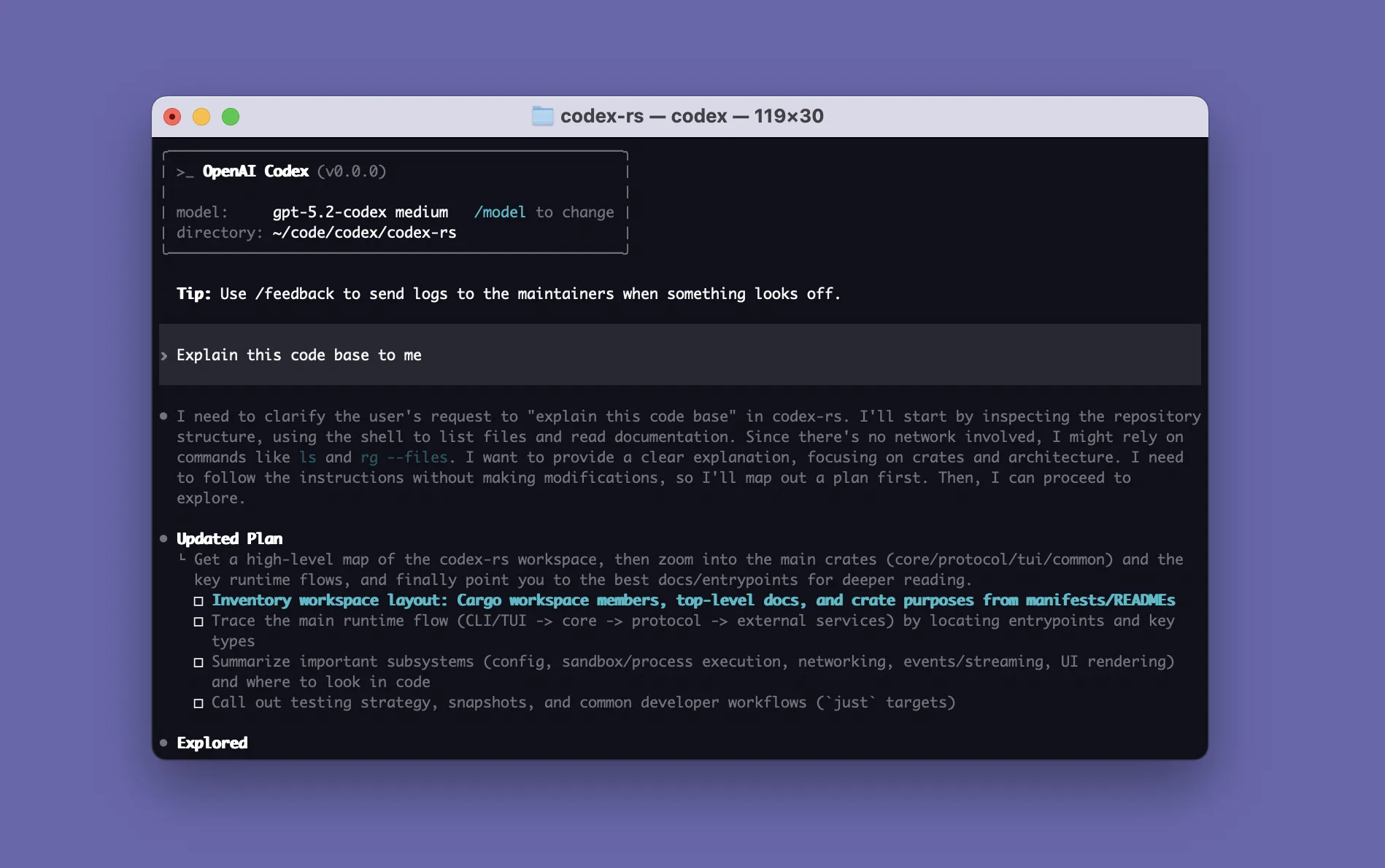
The same agent also shows up in an IDE extension for VS Code, Cursor and Windsurf, in a desktop app you launch with codex app, and in Codex Web in the cloud. This profile covers the CLI only, because the tabs in the headline live in the CLI terminal workspace.
The workspace, in two steps
A side chat is a separate conversation that sits beside the main chat. You use it for a question or a small task that relates to the main work but should not pollute the main thread. The idea arrived in stages, and the release notes make the order clear.
Version 0.168.0, released earlier on November 13, added the first version. Turn on the tui_workspace feature and you could view one side conversation beside the main chat. You could drag the divider to resize the panes, or zoom the pane in focus. That release also let you browse model providers under Sessions and choose the default provider for new chats.
Version 0.169.0 then widened the workspace. The release notes say it in full: the workspace now supports multiple side chat tabs, you can switch between them with the keyboard or the mouse, and saved local side chats reopen after restarting Codex. Three small words in that sentence do the heavy lifting. Multiple means more than one detour at a time. Saved means the chats persist on disk, as Codex sessions already did. Local is the limit to note. The notes claim this reopening for saved local side chats, and they make no promise here about cloud conversations.
| Release | Date | Workspace state |
|---|---|---|
| 0.168.0 | November 13, 2026 | One side conversation beside the main chat, behind the tui_workspace feature |
| 0.169.0 | November 13, 2026 | Multiple side chat tabs, switchable by keyboard or mouse, with saved local side chats reopening after a restart |

Why does reopening after a restart matter enough to headline a release? Because a restart used to be a small act of tidying that cost you your place. You closed the terminal, updated the tool, or rebooted the laptop, and the main session could be resumed with codex resume, a command this magazine has covered in other Codex work such as running several coding agents together. The side chats were the fragile part. They held the questions you had deliberately kept out of the main thread, and losing them meant either recreating them or folding them back into the main chat after all. Tabs that come back remove that choice.
What else shipped in 0.169.0
The tabs lead the release, but they are not the whole of it. The same notes add search in the agent command center, so you can find older tasks by name, by a preview of the prompt, or by working directory. They add a Collapse turn details option in the full screen transcript, which folds finished activity under each prompt while answers stay visible and tool output stays searchable.
You can also add or edit custom model providers from the terminal. With gateway onboarding turned on, you can create a provider during sign in and use a device code for supported gateways over SSH or without a local browser. Open and resumed chats keep their saved model provider after you change the default for new chats. A smaller fix will please anyone who files bug reports: pressing Ctrl+S in the report editor now saves a diagnostic file locally, even when uploads are off.
Specifications
- Version covered
- 0.169.0, released November 13, 2026
- Repository
- openai/codex on GitHub, written in Rust
- Licence
- Apache-2.0
- Install routes
- Standalone installer for macOS and Linux, PowerShell installer for Windows, npm package @openai/codex, Homebrew cask codex, or a binary from GitHub Releases
- Sign in
- ChatGPT account, recommended by OpenAI, or an API key with extra setup
- Workspace flag
- features.tui_workspace, listed as under development and off by default in 0.169.0 coverage
The trust change that matters in CI
One bug fix in 0.169.0 deserves more attention than the tabs will get in most teams. From this version, codex exec keeps project configuration and MCP servers disabled in directories you have not trusted, even with --sandbox workspace-write. An MCP server is a helper program a project can plug into the agent, giving it extra tools. Letting a folder supply those programs just because you opened it was a generous default, and this release ends it.
The fix comes with an explicit way back in. Use the new trust flag with codex exec or codex review to save trust for a project on purpose. Coverage that ran the 0.169.0 binary found that the flag writes the trusted state into your Codex config, and that it does not override a project you have marked as explicitly untrusted.
The practical split is simple. On a repository you control, in CI you own, add the trust flag or trust the project once in the interactive CLI, or your project config and MCP servers will quietly stay off. On a repository you do not control, such as a pull request from a fork, leave the flag off. That quiet behaviour is the protection working as intended. If a script broke after the upgrade, this change is the first place to look, before you blame the model.
Pricing and platforms
Facts checked November 14, 2026 against the project README, the 0.169.0 release notes, and reporting that quotes the official Codex pricing page. The CLI program itself costs nothing to download and its source is open. What you pay for is model access.
Signing in with ChatGPT is the route OpenAI pushes. The README names the Plus, Pro, Business, Edu and Enterprise plans as the plans that carry Codex as part of the subscription. Pricing coverage checked this month puts Plus at $20 a month, with Pro tiers above it, and notes that Plus is the first plan tier that lists the CLI among its Codex surfaces. An API key also works in the CLI, billed at API token rates, but it needs extra setup and it does not bring the cloud features that come with a plan. Our recent coverage of Codex usage allowances in December follows how that shared allowance is changing.
Platform support is broad for a terminal tool. The standalone installer covers macOS and Linux in one script, a PowerShell script covers Windows, and each GitHub release carries binaries for macOS on Apple silicon and on Intel, and for Linux on the two main chip families. If you live in npm or Homebrew, both routes are documented in the README.
What Works
- Side chats keep detours out of the main thread, and several can sit open at once
- Saved local side chats reopen after a restart, so a reboot no longer clears your workspace
- The codex exec trust change closes a real hole, with an explicit flag for projects you do trust
- The client is open source in Rust, installs four ways, and runs on macOS, Linux and Windows
What Does Not
- The workspace is still flagged as under development and off by default
- The reopening claim covers saved local side chats only, with no promise stated for cloud chats
- Teams that relied on project config loading under codex exec in untrusted folders must change their scripts
- Model access still needs a paid ChatGPT plan for the CLI route OpenAI recommends, or API billing
Which should you choose
Turn the workspace on if you work in long sessions. If a single task runs for an hour or more and spawns questions along the way, side chat tabs give those questions a home that survives both the detour and a restart. Try it on one project, learn the keyboard switching, and see whether your main threads stay cleaner.
Stay in the plain view if your sessions are short. A quick fix in one chat gains nothing from panes and tabs. Extra surface is extra friction when the job ends before the first detour appears, and the feature is still marked as under development.
Audit your codex exec scripts either way. This advice holds even if you never open the workspace. Search your CI and your local scripts for codex exec, decide for each call whether the folder should be trusted, and add the trust flag only where the answer is yes. That decision was always yours. Version 0.169.0 just stops making it for you.
Final thoughts
Tabs that survive a restart sound like housekeeping, and they are. That is why they matter. Agent tools are moving from single chats you babysit toward workspaces you live in for a day, and a workspace that forgets its own layout every time you close a window is not a workspace yet. OpenAI still labels this one as under development, and the trust change in the same release will cause more immediate pain in CI than the tabs will cause delight. Both facts belong in the same story. The tool grew up a little in 0.169.0, in the interface and in the defaults, and growing up looks exactly like this.
Sources
- Repository, licence, install routes, sign in plans and the local agent description: openai/codex on GitHub
- Version 0.169.0 features, including multiple side chat tabs, task search, provider editing and the codex exec trust fix: Codex CLI Changelog and Release Notes, aiticker
- The trust flag in practice, the tui_workspace status, and the release times for 0.168.0 and 0.169.0: Codex CLI 0.169: codex exec Trust, Side Chats and Model Providers, Developers Digest, November 13, 2026
- Version history and the wider Codex family, including the IDE extension, desktop app and Codex Web: OpenAI Codex, AI/TLDR
- Full changelog comparison for the release: rust-v0.168.0 to rust-v0.169.0, GitHub
- Official splash image: OpenAI, via the openai/codex repository
END OF TRANSMISSION
Stay curious. Question everything.