Dirty Static // The Verdict
The first free personal agent at mass scale, and the easiest one to try if your life already lives in Google, as long as you read the country and state limits before you hand it money or a phone call.
Best forPeople in the six free countries whose mail, calendar, passwords and cards already live in Google, and who have bounded errands such as bookings, bill checks and shopping comparisons
What works
- Free in the US, Japan, Korea, Canada, Australia and India on Gemini 4 Hydrogen, where it needed a paid Pro plan before November 17
- In the US it can call businesses in parallel, book into your calendar, and check out with Google Pay under a hard spending cap you set first
- It pauses before a Buy click and before sharing payment or private account details, and routine steps can be set to Always allow only when you choose
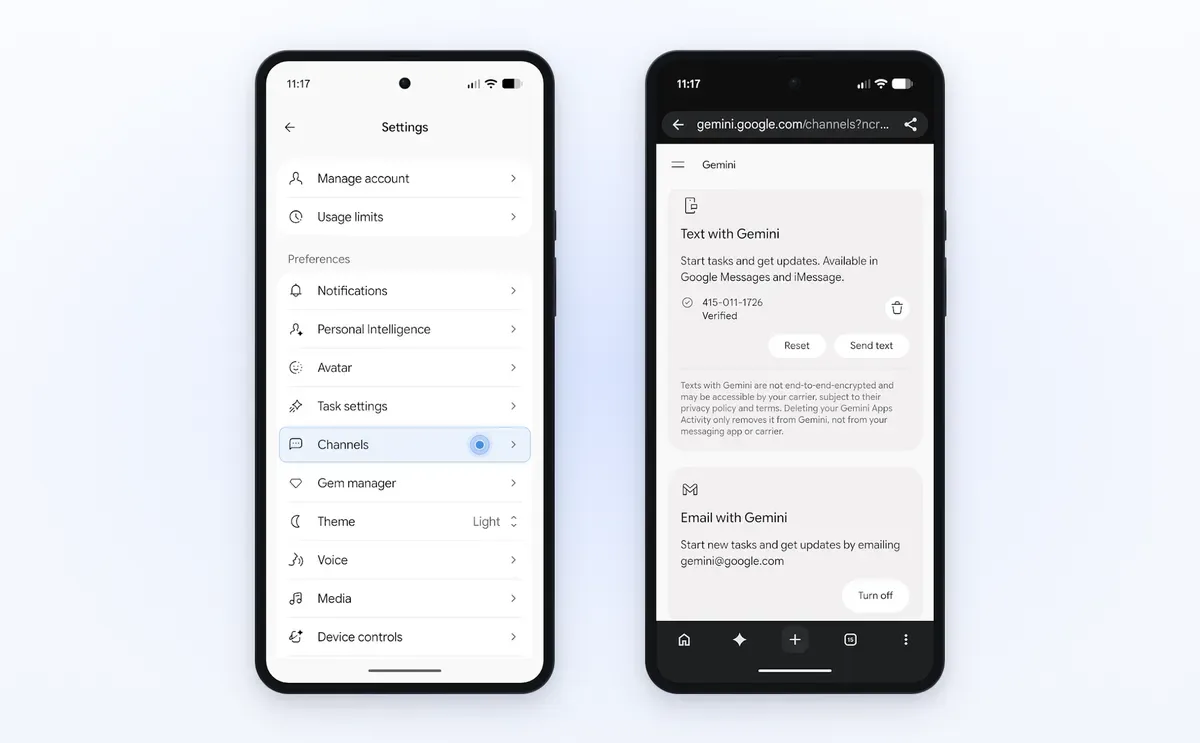
- You can start work in the app, on the web, by text or by forwarding mail to [email protected] in the US, and it connects with more than 60 apps
What does not
- The calling, buying, login and text and email features start in the US only, and calling is not available in Indiana, Louisiana, Minnesota, Montana or Nebraska
- Free access needs a personal account, age 18 or over and History on, work and school accounts are out, and outside the six countries it still needs Pro or Ultra and is not offered in the EEA, Nigeria, Switzerland or the UK
- Google says tasks can still fail or miss the mark, and on some sites the agent hands the screen back for the final click
- There is no independent testing record yet for call success, shopping accuracy or bill analysis, only Google examples and launch reporting
Research review: based on published testing, specifications, and documentation, not hands on testing.
Google did the one thing its rivals have not done with a personal agent. It dropped the price to zero for hundreds of millions of people, and it gave the agent two powers that sound simple and change everything: it can pick up the phone, and it can pay.
Tasks in Gemini went free on November 17, 2026 in the US, Japan, Korea, Canada, Australia and India. That is the headline. The review is about the fine print underneath it, because the free agent and the full agent are not the same product. Where you live decides which one you get.
What It Is
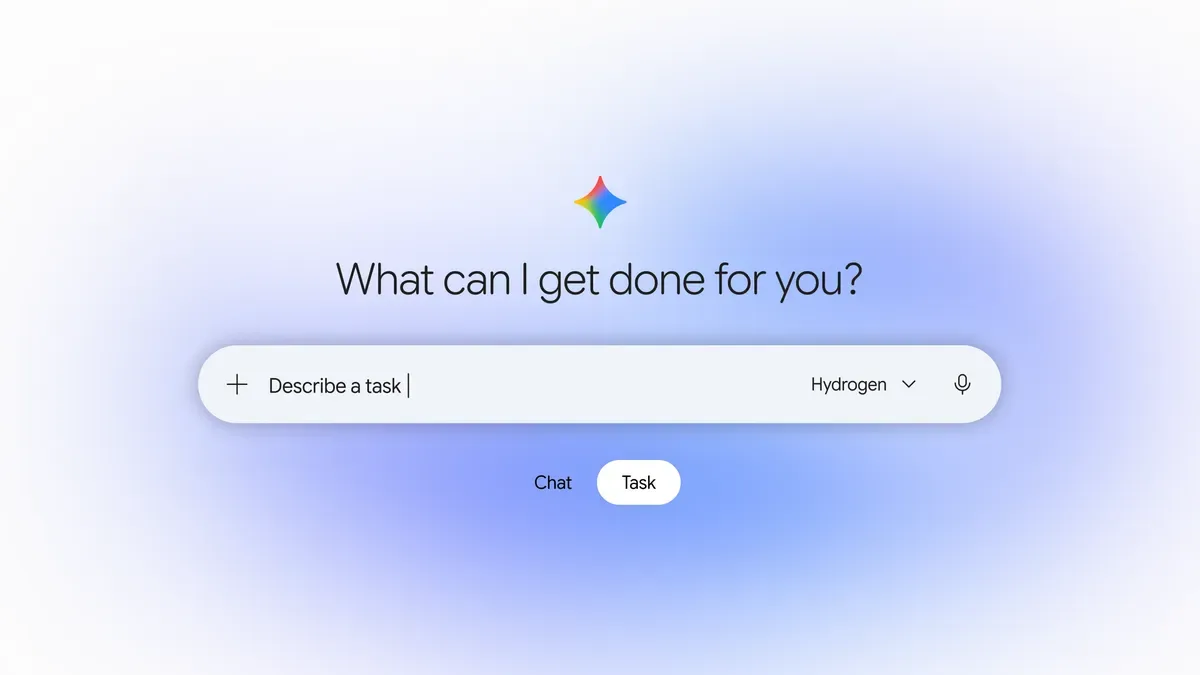
Tasks is what Google used to call Spark. Google tested Spark from May 2026 with paid Google AI Pro and Ultra subscribers, then folded it into the main Gemini app in October as a toggle beside Chat. You flip from Chat to Task, describe a job and when you want it done, and Gemini works through the steps in the background using connected apps, the web and your calendar and mail when you allow it.
The November 17 change has two parts. First, the price. In the six countries above, Tasks no longer needs a subscription. Second, the model and the powers. Tasks now runs on Gemini 4 Hydrogen, the fast agent model Google shipped on November 12, and in the US it gains calling, paying and new ways to start work without opening the app.
Features and Specifications
| Area | Tasks in Gemini specification |
|---|---|
| Maker | Google, announced by Josh Woodward on November 17, 2026 |
| Model | Gemini 4 Hydrogen |
| Former name | Gemini Spark, tested from May 2026 for Pro and Ultra subscribers |
| Free countries | US, Japan, Korea, Canada, Australia and India |
| Price outside free countries | Google AI Pro or Ultra where offered |
| Not offered | European Economic Area, Nigeria, Switzerland and the UK |
| Who can use it | Age 18 or over, personal Google Account, History on; work and school accounts excluded for now |
| Where it runs | Gemini mobile app, Gemini app on Mac and gemini.google.com |
| How you start it | Chat and Task toggle in Gemini; in the US also by text and by forwarding mail to [email protected] |
| Calling | US only; finds businesses on Google Maps and calls in parallel; not in Indiana, Louisiana, Minnesota, Montana or Nebraska |
| Buying | US launch; Google Pay with the Agent Payments Protocol, Mastercard and Visa, American Express coming soon per Google |
| Logins | US launch; Google Password Manager integration for sites such as a utility portal |
| Connected apps | More than 60 popular apps per Google, plus Gmail, Calendar, Wallet and Shopping Graph |
| Task limit | Up to 15 tasks running at once per Google Help |
| Security | Agent Compute Engine, a hardware isolated virtual machine dedicated to your account, prompt injection filters and Safe Browsing limits |
The table shows the split plainly. The agent itself is free in six countries. The powers that make the launch news, the calls and the checkout, start in one country. A reader in Canada gets Tasks free, which is real value for research, scheduling and work across Google apps. That reader does not yet get Gemini phoning a local shop, because Google Help says the agent can only call US numbers for now.
Real World Experience
This is a research review. Dirty Static has not handed Tasks a live errand, and no independent lab has published a checked run of call success or shopping accuracy yet. What exists is Google own account of daily use, its Help pages, and launch reporting from 9to5Google, The Verge and others that matches the Help pages on price, countries and limits. Each Google example below is labelled as a Google example.
The strongest example is the dullest one, which is a good sign. Woodward writes that he asked Gemini to call the two nearest dealerships for an early Friday service slot for a family minivan. Gemini knew the vehicle and the area from Personal Intelligence, found shops on Maps, called both at once, disclosed that it is an AI at the start, sat through hold time, booked with the shop that takes appointments rather than walk in visits, and put the slot in Calendar in under five minutes, per Google. Businesses can opt out of such calls. That workflow is exactly what an agent should absorb: phone trees, waiting and calendar Tetris that teach you nothing.
The money examples need a slower read. In one, Gemini used the Password Manager login to reach a utility portal and read past bills in mail, then traced a surprise 389 dollar electric bill to a heat pump starting around 4 in the afternoon in peak pricing, per Google. In another, it compared chargers with the Shopping Graph, asked about wattage and colour, found a discount code that saved 10 dollars, and checked out with Google Pay, per Google. Both are plausible uses of data Google already holds. Neither comes with a public error rate. A bill reading that is wrong about the cause, or a charger bought in the wrong wattage, costs more than the time saved, so the confirmation step matters more than the demo.
The quieter features may end up used most. Forward a batch of school mail to [email protected] and Google says the dates land in Calendar in under a minute, with a conflict flagged and a carpool swap suggested. Text a grocery list, add a photo of an empty box, and Gemini adds the items and hands off to Instacart to finish, per Google. Those are low risk jobs with a clear check at the end: either the event and the groceries are right, or they are visibly wrong before money moves.
Google is direct about failure, and that directness helps its case. The post says the team has tested tasks a lot to cut mistakes but has not eliminated them, that a task may fail or miss the mark, and that on some sites Gemini gets most of the way through and hands the screen back for the final click because sites are still adapting to personal agents after decades of blocking bots by default. Plan for supervision, not magic.
What Works
Price is the first strength and it is not a small one. A free agent that runs on a current fast model, inside apps hundreds of millions of people already use, will get tried in a way a 20 dollar or 100 dollar agent will not. That scale also gives Google feedback its rivals cannot match, if users report failures with the thumbs down route Google asks for.
The containment around money is the second strength. You set a hard spending cap before shopping. Gemini is designed to stay inside it, to ask for confirmation or preapproval before it clicks Buy, and to ask before it shares payment or private account details. Purchases use digital tokens on supported Mastercard and Visa cards through the Agent Payments Protocol, and you keep card points, cashback and protections, per Google. Receipts and tracking land in Google Wallet. That is a sane shape: cap first, confirm before commit, token instead of raw card number.
The security shape is also stated in checkable terms. Each task runs in a hardware isolated virtual machine on Agent Compute Engine, dedicated to one account and never shared, per Google. Layers around it include prompt injection filters on search results and pages and Safe Browsing limits on links. You can step in mid task, disconnect apps, adjust task settings or delete history. None of that proves the system holds at scale, but it is a specific claim set that researchers can test, which beats a vague promise to be safe.
What Does Not
Access rules cut the audience in ways the free headline hides. You need a personal account. Your work or school account will not do, even if your whole work life lives there. You need History on, which is a real privacy choice, not a formality, for an agent that works from your mail and activity. Outside the six free countries you still pay, and in the EEA, the UK, Switzerland and Nigeria you cannot get Tasks at all for now. Families and small teams that mix personal and work accounts will hit those walls fast.
The state map for calling is the second problem. A national US launch that skips Indiana, Louisiana, Minnesota, Montana and Nebraska is not a footnote for people who live there, and Google has not explained the reason in the launch post. Calling also depends on businesses answering, not opting out, and having usable hours, prices and booking details on their Maps profile. The agent can call in parallel, but it cannot fix a shop that never picks up.
The deepest gap is evidence. Microsoft made the same gap visible yesterday with Copilot Autopilot, and Google has it too: launch examples from inside the maker, no independent success rates, no published usage limits for free accounts in the launch post, and no data on how often the agent needs rescue. Until outside testers publish runs you can inspect, every verdict in this class, ours included, is a judgement about design and limits, not a measured ranking.
Competition
| Agent | Who can use it | Price picture | What sets it apart |
|---|---|---|---|
| Tasks in Gemini | Personal accounts, age 18 or over; free in six countries, paid elsewhere where offered | Free in the six countries; Pro or Ultra elsewhere | Calls businesses and buys with Google Pay in the US, works across Google apps and more than 60 connected apps |
| Copilot Autopilot | Microsoft 365 teams in Frontier, inside a work tenant | Copilot licence plus usage based billing in Copilot Credits, final cost not yet published | Takes a standing responsibility in Teams and Outlook under its own work identity, governed by IT |
| ChatGPT dots | ChatGPT Pro, Business Premium and Enterprise in eligible markets per comparison reporting | Pro from 100 dollars a month per comparison reporting checked in late October | Always on agent with its own cloud computer and a very wide app shelf, at a premium price |
The choice follows where your life already lives. If your mail, calendar, files and cards are in Google and you are in a free country, Tasks is the obvious first trial because the trial costs nothing and the setup is a toggle. If your work lives in a Microsoft 365 tenant and needs IT control, Autopilot is built for that world and Tasks, which excludes work accounts, is not a rival there at all. Dots makes sense only if you need its wider reach enough to pay a premium that Tasks just made harder to justify for personal errands. Our wider Ignite report on Office inside the Copilot app shows how different the work agent bet is from this personal one.
Final Verdict
Try Tasks if you are in the US, Japan, Korea, Canada, Australia or India, you are on a personal account, and you have errands that are bounded, checkable and boring. Start with work that cannot spend money: turn forwarded mail into calendar events, compare products without buying, or ask it to read a bill and show its working. In the US, add a calling task for a booking you can confirm in Calendar, and only then try a small purchase with a low hard cap and confirmations left on.
Wait if you need work account support, if you live in a blocked region or a state where calling is not offered, or if you want proof before access. Google has built the most reachable personal agent yet and priced it like a feature, not a product. Whether it earns trust will be decided by the boring runs no launch post shows: the calls that fail, the carts that need fixing, and whether the agent stops and asks at the moments it should.
This is a research review. It draws on the Google launch post by Josh Woodward on November 17, 2026, Google Gemini Apps Help on tasks and workflows, and launch reporting from 9to5Google, The Verge, The Parameter and Android Police, checked November 18, 2026. No hands on testing was performed. Product images: Google.
Sources
- Google: Put Gemini to work for you
- Google Help: Manage your tasks and workflows in Gemini Apps
- 9to5Google: You can now assign Gemini tasks for free in six countries, November 17, 2026, via launch reporting cited in The Parameter
- The Parameter: Google makes Gemini Tasks free in six countries
- Android Police: Google is giving millions of Gemini users a free personal AI agent
- Product images: Google
END OF TRANSMISSION
Stay curious. Question everything.