Most word processors now want to become agent platforms. They bolt a chat panel onto a document app, call the panel smart, and keep the real controls locked behind menus that only a mouse can reach. WordCraft starts from the other end. It is a word processor rebuilt so that every action is a command with an id, and the same commands serve the person at the ribbon and the agent on the wire.
WordCraft comes from the ArtCraft team, the group behind the Crafting Apps family of free tools written in Rust. Dirty Static covered that family when it rebuilt the Adobe suite as free clones. WordCraft is the word processing member of the family, and its pitch is plain: the Word workflow you already know, as native open source software, with no account and no server in the path.
WordCraft
Official siteA word processor that rebuilds the Word workflow in pure Rust. Primary use case: writing and editing .docx documents in a native app that a person or an AI agent can drive with the same commands.
Key features: the ribbon with a live Styles gallery; tables, track changes with comment balloons, references and mail merge; .docx reading and writing, with .odt, .rtf, .html, .md, .tex and .txt import and export, plus PDF export with selectable text; spelling and grammar that work offline; a CLI for conversion, text extraction and inspection; an MCP server with tools to list and run commands, type and select text, inspect a document, render a page and save.
Advantages: free with full source code; one codebase runs almost everywhere; no Electron and no Tauri, since the interface renders natively through egui on the GPU; the work stays on your machine. Limitations: alpha status, by the project own roadmap; parity with Word is partial; charts and SmartArt can be lost on a round trip through the app; native printing and testing against large sets of real .docx files are still on the beta list.
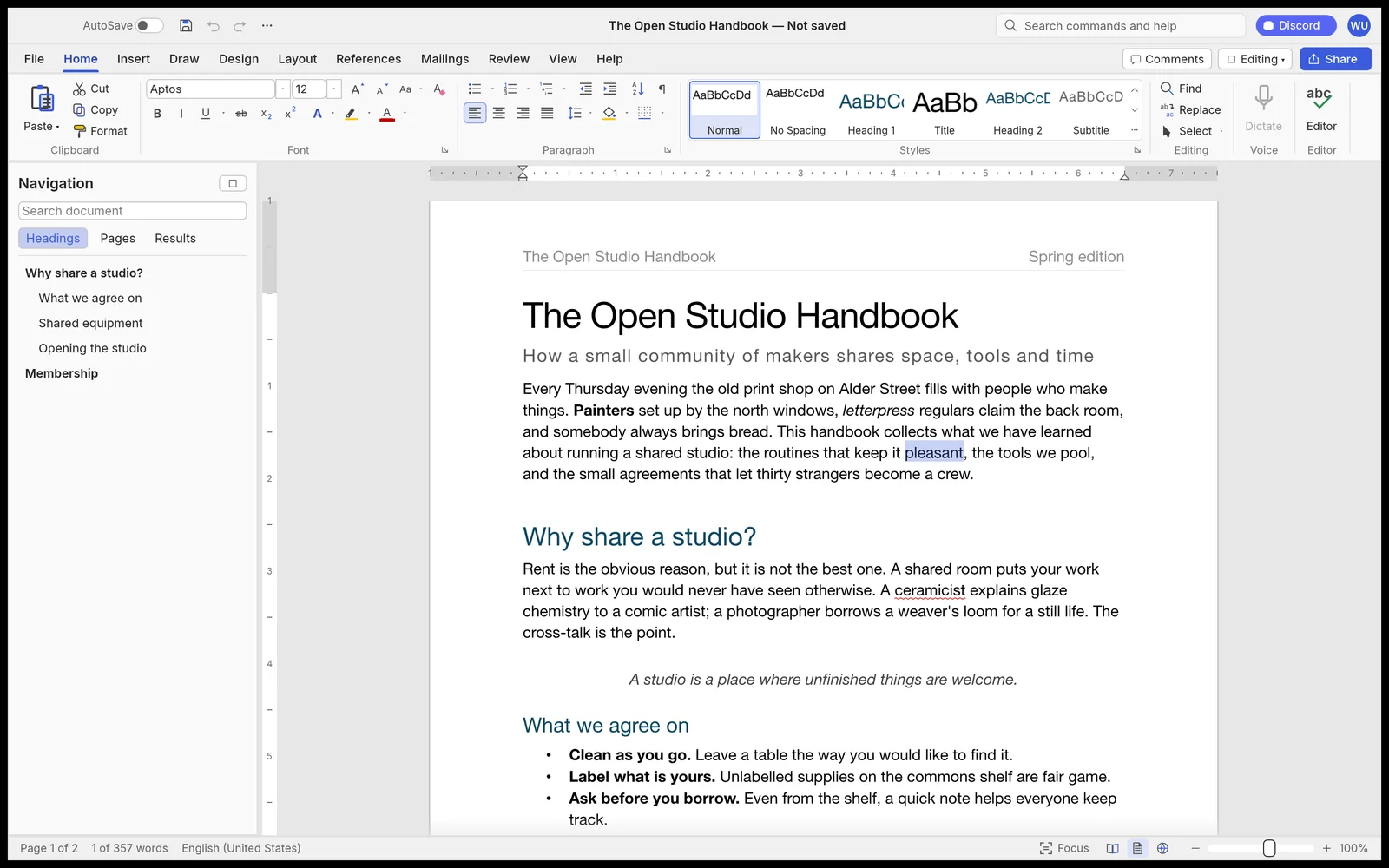 The ribbon, the Styles gallery and the Navigation pane, in WordCraft itself. Screenshot: ArtCraft
What works today
The feature list in the project README is long, and it reads like a Word checklist because that is the point. Writing covers fast typing, AutoCorrect, find and replace with regex, and undo and redo. Formatting covers fonts, highlight, spacing, Format Painter and Clear Formatting. Tables can merge and split, sort, run formulas and convert to and from text.
Pages get margins, columns, breaks, headers and footers, watermarks and drop caps. References get a table of contents, footnotes and endnotes, citations in APA, MLA, Chicago and IEEE styles, captions and an index. Review gets spelling and grammar as you type, comments, track changes with accept and reject, document comparison and an accessibility checker. Mailings get mail merge from CSV, with envelopes and labels.
That breadth matters less than the file promise under it. WordCraft opens and saves .docx in OOXML form, the format Word itself uses, and it imports the older Word 97 to 2003 .doc format. A clone that cannot open the files people already own is a toy. This one at least aims at the real drawer of documents, even if the roadmap is honest that hard cases remain.
Speed is the other claim worth noting, with its source attached. The project says paragraph layout is cached, so typing in a 188 page document updates layout in about 1.4 ms, with pages rendered on demand. That is a project figure, not a measurement from this desk, and it should be read that way.
One command list, four ways to drive it
Here is the idea that sets WordCraft apart from other free word processors. Every action in the app is a command with an id. The ribbon calls those commands. So do keyboard shortcuts and the command search. So does the CLI. So does a JSON control channel. So does the MCP server, where MCP means Model Context Protocol, the open standard that lets an AI tool call functions in other software.
That design means an agent does not scrape the screen or guess at menus. It asks the app what commands exist, runs them, and checks the result. The MCP tools listed in the README include list_commands, execute, batch, type_text, select_text, inspect_document, render_page and save_document. With the desktop app running, an agent also gets screenshot, click and key, so it can work on the document you can see, not just on a file in the dark.
The documented setup has two shapes. For work on files without the app open, you register the CLI as an MCP server. For work inside a running app, you start WordCraft with a control port and connect the CLI to that port.
claude mcp add wordcraft -- wordcraft-cli mcp
wordcraft --control 7981 &
claude mcp add wordcraft-app -- wordcraft-cli mcp --connect 127.0.0.1:7981
The CLI also earns its place without any agent at all. It converts between formats, prints the plain text of a document, and prints the structure of a document as JSON, which is a clean way to audit a file in a script.
wordcraft-cli convert report.docx report.pdf
wordcraft-cli text report.docx
wordcraft-cli inspect report.docx
If you have followed our other MCP coverage, from giving a local model real tools with Ollama and MCP to the Zoho Analytics MCP server, the pattern here should look familiar and also a bit different. Most MCP servers wrap a service. This one wraps a document app that a person can be sitting in front of at the same time, using the same command list. That shared list is the product.
How far it really gets
Credit where it is due: the roadmap does its own puncturing. WordCraft is in alpha. The project says commands exist for 88 percent of Word ribbon features today. Counting depth, file fidelity and stability, it estimates about 60 percent of the way to replacing Word for real work, about 55 percent for a typical professional week, and about 63 percent for everyday essentials. Those are the project own estimates, stated as estimates, and the chart below keeps them labelled that way.
WordCraft parity, project estimates from the roadmap, November 2026
Project self assessment from the WordCraft README and roadmap, checked November 4, 2026. Estimates, not measured results.
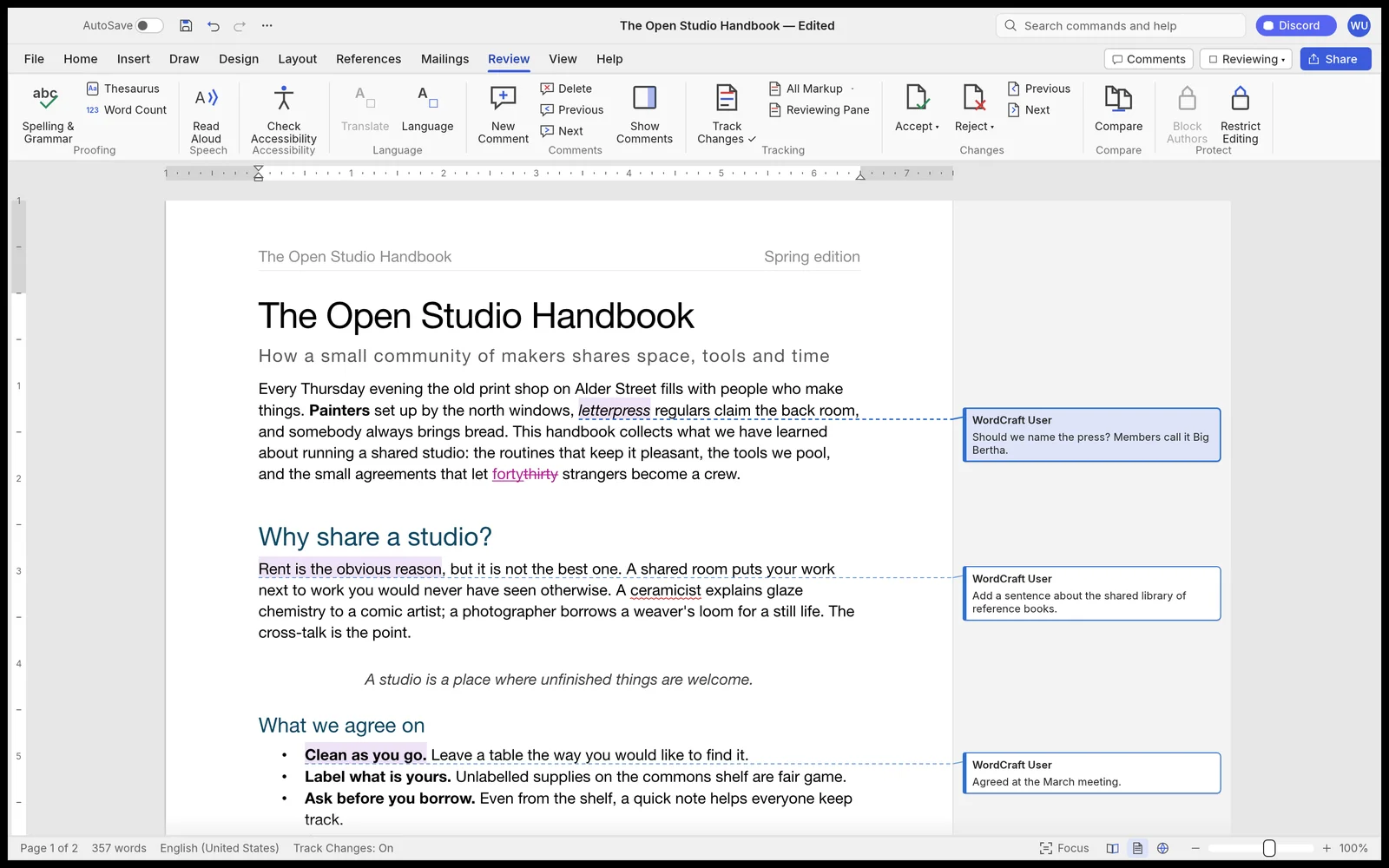 Track changes and margin comments, two of the features a Word clone lives or dies on. Screenshot: ArtCraft
Beta, by that same roadmap, still needs testing against real world .docx files, keeping charts and SmartArt intact through a round trip, pagination closer to Word, a stability sweep and native printing. Read that list as a warning label. If your work depends on charts surviving an edit, or on a document printing exactly as Word prints it, WordCraft is not ready to be your only copy of the truth.
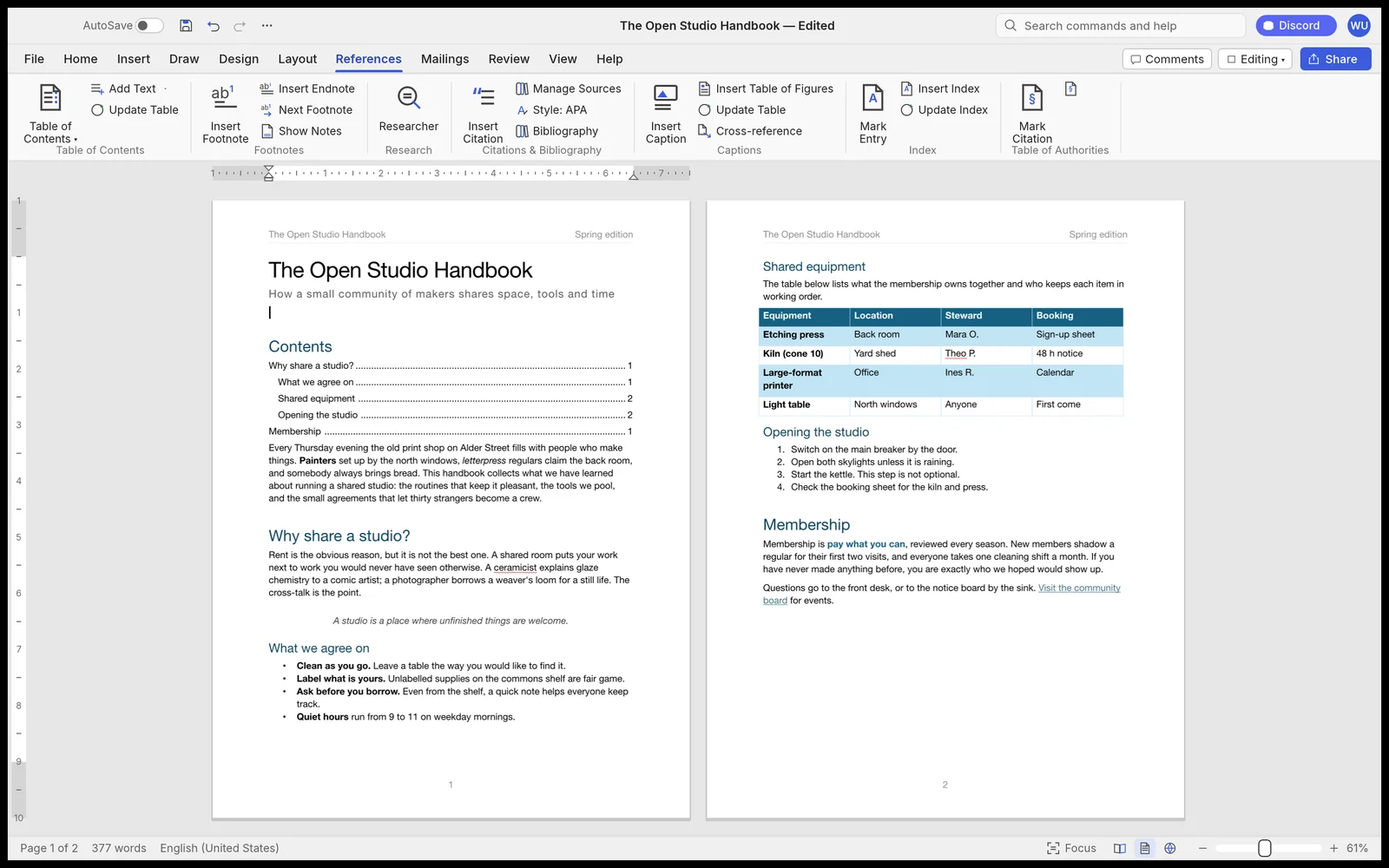 References at work: a table of contents with page numbers, beside a styled table and a list. Screenshot: ArtCraft
Downloads and the fine print
Releases ship for almost every desktop a reader might own. Windows gets installers and portable builds for x64, ARM64 and 32 bit x86. macOS gets a universal app that the project says is signed and notarized, plus the CLI as its own download. Linux gets AppImage, Flatpak, Debian and Fedora packages and tarballs, with a RISC-V tarball in the list too. FreeBSD gets a tarball, and the web build ships as a static site you can host yourself. You can also build from source with Cargo, which needs Rust 1.90 or newer per the product page.
The licence is dual: MIT or Apache 2.0, at your option. The project also states its limits in the open. It is not affiliated with Microsoft, it was built from public specifications and observation, and every asset is original or openly licensed. That clean room claim is the legal spine of the whole effort, and the repo carries a NOTICE file and an attribution file so the claim can be inspected, not just repeated.
What Works
- Free with full source code, dual licensed
- Same commands for people, CLI and agents
- Native Rust app with no Electron shell
- Reads and writes .docx and works offline
What Does Not
- Alpha software with partial parity
- Charts and SmartArt may not survive a round trip
- Native printing and broad .docx testing still pending
- Command count differs between the project pages
Which should you choose
Choose WordCraft if you want a Word shaped app without rent or an account. Students, home writers and anyone drafting plain documents in .docx get the familiar ribbon, real styles and review tools, for no money, on almost any machine they own.
Choose it if you want agents to edit documents as documents. Teams that build document workflows get a CLI, a JSON control channel and an MCP server that share one command list with the app. That is a firmer base for automation than driving Word through macros or driving a clone through screen clicks.
Choose it if you value source you can read. The privacy claim here is structural. The app works offline, the code is public, and the licence lets you keep it. For work that should not leave the building, those facts are the feature.
Stay with Word if your documents are the record. Legal, academic and corporate files that lean on charts, SmartArt, exact pagination or tracked changes at scale should stay in Word until WordCraft passes its own beta list. Stay, too, if you need support with a phone number. A community repo is many things, but it is not a help desk.
Consider the mature free rivals if you need stability today and no agent layer. WordCraft edge is the command system, not maturity. If agents will never touch your documents, that edge buys you little, and an older free office suite will feel calmer. If agents will, this is the one built for them from the first line.
Final thoughts
WordCraft is two bets at once. The first is that a beloved interface can be rebuilt in the open, in a modern language, without the original owner permission or code. The second is that the next user of a word processor might not be a person at all, so the app should expose itself as commands first and pixels second.
The first bet is about 60 percent home, by the maker own count, and the alpha label is honest. The second bet is the one to watch. A document app where a person and an agent share one command list, one undo history and one file is a cleaner picture of agent work than a chat box pasted onto a toolbar. Try it on copies, watch the roadmap, and let the parity numbers, not the ribbon nostalgia, tell you when it is ready for your real files.
Sources
- Project source, README, roadmap, CLI and MCP documentation: storytold/wordcraft on GitHub
- Product page, downloads and screenshots: WordCraft at getartcraft.com
- Screenshots: ArtCraft, from the WordCraft product page and press kit
- Family background: ArtCraft at getartcraft.com
END OF TRANSMISSION
Stay curious. Question everything.