
Finding an old agent conversation in a terminal tool usually means scrolling, searching, and hoping you remember the right words. A thread link sitting in a search result or a transcript was a label, not a door. You could read where it pointed, but you still had to go and dig the conversation out yourself.
Codex CLI 0.172.0 turns that link into a door. OpenAI released it on November 24, 2026, one release after 0.171.0 made the terminal workspace the default view. This profile explains what Codex CLI does, what the thread links change, what the Bedrock Runtime choice actually covers, and where the limits in the release notes sit.
Codex CLI
Official siteA coding agent from OpenAI that runs locally in your terminal and works inside your own repository. Primary use case: writing and editing code, running local tools and tests, and reviewing changes while you watch each step.
Key features: an interactive terminal session that reads a project and edits files in place; session resume for saved chats; a workspace with side chats beside the main conversation; an agent command center for tasks; a script mode, codex exec, for work in scripts and CI; and connections to MCP servers, the helper programs that give an agent extra tools.
What Codex CLI does
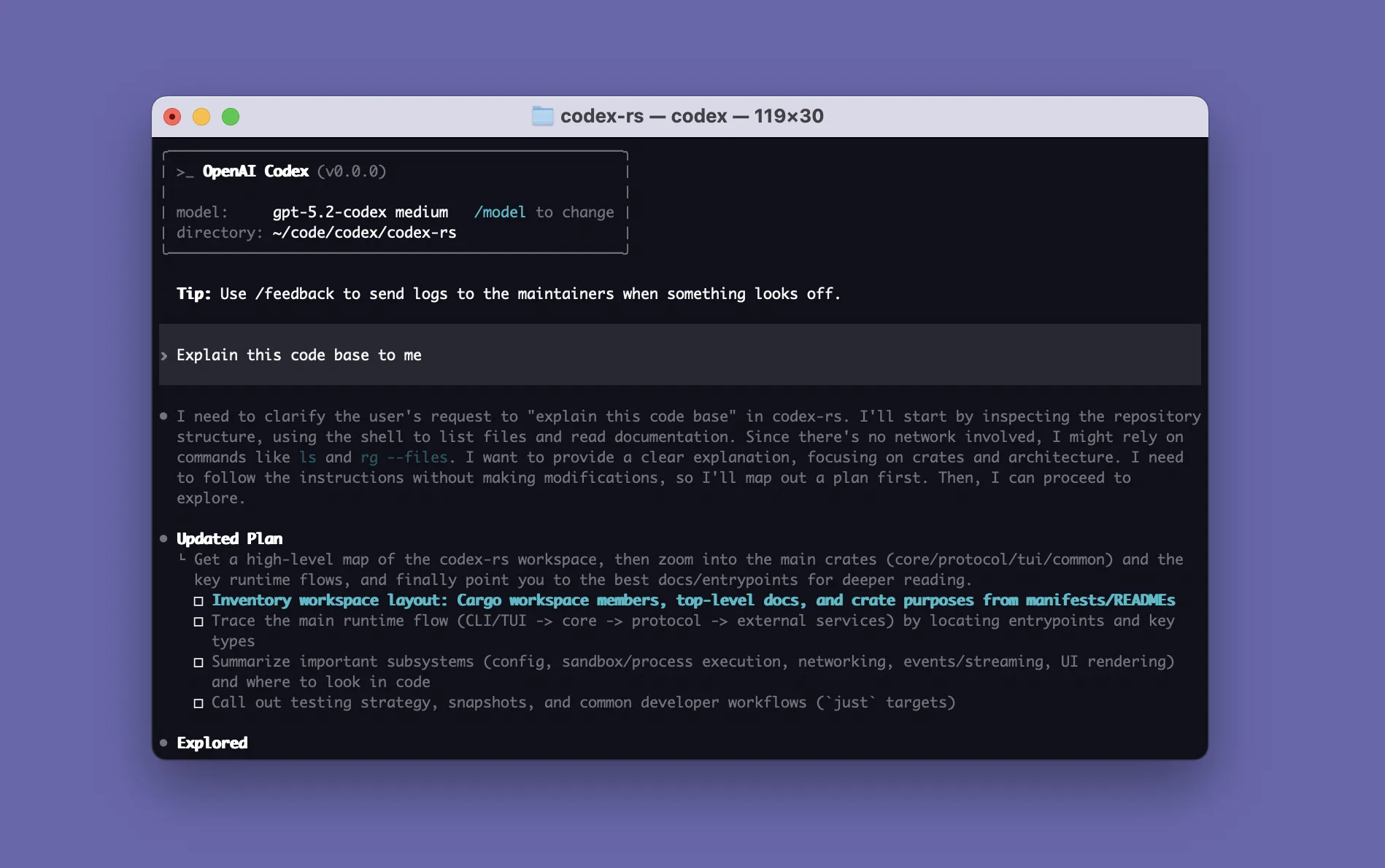
Codex CLI is the terminal client for OpenAI Codex. You run the codex command in a project folder, describe a task, and the agent explores the code, proposes a plan, edits files, and runs the tools already installed on your machine. The client is open source, written in Rust, and carries the Apache-2.0 licence. The models behind it are not open. You reach them by signing in with a ChatGPT account, which OpenAI recommends, or by using an API key with extra setup.
That split shaped the last few releases. Version 0.169.0 gave the workspace side chat tabs that reopen after a restart, a story this magazine covered in Codex CLI tabs that survive restarts. Version 0.171.0 then turned the workspace on by default and added GPT-6.2 Sol and Astra to the model catalogues, with Sol as the default selection. Version 0.172.0 is a smaller release, and it works on navigation, startup cost, and session plumbing rather than on the model list.
Thread links open where you already work
The headline change is simple to state. You can follow thread links from search results and transcripts to open saved conversations and nested agents in the terminal. A nested agent is one of the subagents a main agent starts for a side task, and its conversation used to sit one layer away from the main view.
Why does this matter in practice? Agent work now leaves a trail of linked conversations behind it. A main task spawns subagents, a transcript mentions an earlier chat, and a search result points at the thread you actually need. Each hop used to cost a manual search. Now the link itself does the travelling, and you land in the conversation the link names.
The release notes scope the claim carefully, and this profile keeps that scope. The links open saved conversations and nested agents in the terminal. The notes do not promise links into cloud conversations, and they do not describe any change to how threads are stored or shared between people.
Three small speed changes
The rest of the new feature list reads like a set of paper cuts being closed, one by one.
Pressing Tab now completes arguments for supported slash commands. The release notes give the example in full: /mcp lo completes to /mcp login. Slash commands are the typed commands that control the session itself, and argument completion means fewer trips to documentation just to spell one correctly.
In the agent command center, Shift+Up and Shift+Down now jump between task groups. That pairs with the search the command center gained in 0.169.0. Search finds the task, and the new keys move you through grouped tasks once you are there.
Optional stdio MCP servers with cached tool lists now start on their first tool call by default. An MCP server is a helper program that gives the agent extra tools, and stdio means it talks over standard input and output on your own machine. Starting one only when a tool from it is actually called trims startup work from every session that connects servers it may never use. The notes tie the behaviour to servers that hold a cached tool list, so Codex knows what the server offers before it starts.
Bedrock arrives, with a scope note
The change most likely to travel beyond terminal users is the provider one. App server clients can select Amazon Bedrock Runtime during setup or sign in. Bedrock is the Amazon Web Services platform that hosts models from several makers behind one API, and an app server client is a program that talks to Codex through its server interface rather than through the interactive terminal view.
A second control lands beside it. You can now set an approval reviewer for individual connected app tools in config.toml. Approvals are the checkpoints where a person, or a reviewer the setup names, allows an agent action to proceed. Setting the reviewer per tool is finer control than one rule for every connected app, and teams with strict review habits will feel the difference first.
The fixes underneath
Two fixes in this release will matter more to scripted and remote work than the headline features will.
codex exec resume now restores saved sandbox permissions, the working directory, and workspace roots unless you override them on purpose. The sandbox is the set of limits on what the agent may read, write, and run. A resumed script run that quietly came back with different limits than the run it resumed was a trap. Now the saved state is the default, and changing it takes an explicit choice.
Remote sessions preserve working directories, workspace roots, and writable paths when the client and the server run on different operating systems. Paths do not translate cleanly between systems, and a session that lost its roots when it crossed from one system to another lost its place in the project. The notes list three separate fixes behind this one claim, which suggests OpenAI found the problem in more than one layer.
Smaller fixes fill out the list. Codex reports provider errors as soon as they arrive in a response stream, and it identifies which API spend limit was reached. Interrupting a parent turn preserves queued replies from child agents for the next turn. Cloud replies that finish after history loads now update in place, keeping the transcript in order. The bundled openai-docs skill now covers migration to GPT-6.2 Astra and Sol, including endpoint choices and tool calling requirements. Code Mode now uses gRPC for all host connections, and the older code_mode_host_grpc setting is deprecated.
Specifications
- Version covered
- 0.172.0, released November 24, 2026
- Repository
- openai/codex on GitHub, written in Rust
- Licence
- Apache-2.0
- Install routes
- Standalone installer for macOS and Linux, PowerShell installer for Windows, npm package @openai/codex, Homebrew cask codex, or a binary from GitHub Releases
- Sign in
- ChatGPT account, recommended by OpenAI, or an API key with extra setup
- New in this release
- Thread links in the terminal, Tab completion for slash command arguments, lazy startup for optional stdio MCP servers, Bedrock Runtime selection for app server clients
Pricing and platforms
Facts checked November 24, 2026 against the project README, the 0.172.0 release notes, and the pricing carried in this magazine earlier Codex coverage. The CLI program itself costs nothing to download and its source is open. What you pay for is model access.
Signing in with ChatGPT is the route OpenAI pushes. The README names the Plus, Pro, Business, Edu and Enterprise plans as the plans that carry Codex as part of the subscription, with Plus at $20 a month as the first tier. An API key also works, billed at API token rates, with extra setup and without the cloud features that come with a plan. Our coverage of Codex usage allowances in December follows how the shared allowance between ChatGPT and Codex is changing.
Platform support stays broad. The standalone installer covers macOS and Linux, a PowerShell script covers Windows, npm and Homebrew routes are documented in the README, and each GitHub release carries binaries for macOS and Linux on the main chip families.
What Works
- Thread links turn search results and transcripts into doors, ending the manual hunt for a saved conversation
- Tab completion and task group keys remove small daily friction from the terminal
- Optional MCP servers start on first use, so unused servers no longer tax every session start
- Resumed exec runs and remote sessions now keep their saved permissions, directories, and roots
What Does Not
- The Bedrock choice is scoped to app server clients in the notes, with no model list named
- Thread links cover saved conversations and nested agents, with no cloud promise stated
- Several gains are fixes to session plumbing that should arguably have worked this way already
- Model access still needs a paid ChatGPT plan on the recommended route, or API billing
Which should you choose
Upgrade now if you live in the workspace. If your days run through saved threads, subagents, and the command center, thread links and the new navigation keys pay for the update on the first day. The upgrade is a normal install over the version you run now.
Upgrade for the plumbing if you script Codex. Anyone running codex exec in CI, or working through remote sessions across operating systems, gets the resume and path fixes. Those are correctness fixes, and correctness fixes rarely wait well.
Watch the Bedrock story if you build on the app server. The selection exists now, at setup and sign in, for app server clients. What it serves, and whether the interactive CLI gains the same choice, are questions the next releases will have to answer. Teams planning around Bedrock should plan around the scoped claim, not around the headline version of it.
Final thoughts
Version 0.172.0 will not change what model writes your code. It changes how fast you can move between the conversations that work leaves behind, and how much of your session state survives a resume, a restart of a script run, or a hop between machines. That is unglamorous work, and it is the work that decides whether an agent tool feels like a place you work or a chat you keep reopening. Codex is steadily becoming the first kind.
Sources
- Repository, licence, install routes, sign in plans and the local agent description: openai/codex on GitHub
- Version 0.172.0 features, fixes, and the full pull request list, including thread links, Tab completion, lazy MCP startup, per tool approval reviewers, and Bedrock Runtime selection: Codex CLI Changelog and Release Notes, aiticker
- Independent summary of the same 0.172.0 notes, including the
/mcp loexample and the gRPC change: Codex CLI 0.172.0, AI/TLDR - Full changelog comparison for the release: rust-v0.171.0 to rust-v0.172.0, GitHub
- Official splash image: OpenAI, via the openai/codex repository
END OF TRANSMISSION
Stay curious. Question everything.