
Most AI note tools announce themselves. A bot joins the call, sits in the participant list with a name nobody chose, and the first minute goes to the bot instead of the work. Yogurt skips that part entirely.
Yogurt is a desktop app from Frigade, launched on November 11, 2026 with a Show HN post. It records your microphone and the audio playing on your computer, transcribes the call on the device, and writes the summary there too. No bot joins. No account is needed. The recordings, transcripts and notes stay in a folder on your own machine, and the code is open source under the MIT license, so the privacy claim can be checked rather than just believed.
Yogurt
Official sitePrivate AI meeting notes that stay on your computer. Primary use case: recording calls in apps such as Zoom, Teams and Meet, then leaving with a transcript, a summary and clear next steps, without a bot in the room and without sending the audio to a cloud service.
Key features: live transcripts while you talk; a summary that merges the conversation with notes you type during the call; answers to questions across your meetings, with links back to the source transcript; folders and search; copy and Markdown export; and an optional local MCP server that lets an assistant app you choose read your meetings.
Advantages: the whole pipeline runs locally and works offline once the models are in; the price is zero and the license is MIT; and nobody else on the call has to install anything. Limitations: speaker names and calendar support are Mac only for now; setup downloads about 5 GB of models, and up to 14 GB or more on larger machines; and the Windows installer is unsigned, so Windows warns you before it runs.
What it is
The README pitches Yogurt plainly as a free and open source alternative to Granola. This is a tool for people who liked the idea of quiet, automatic meeting notes and disliked the parts that came with the hosted versions: the subscription, the account, and other people seeing a recorder in the call.
Frigade, the maker, is backed by Y Combinator, per the product site. The app is built with Electron, which is how one codebase covers Mac, Windows and Linux, and the repository sits in public on GitHub under FrigadeHQ, where anyone can build it from source instead of taking the installer.
What Yogurt is not is a team workspace. The documented ways to get words out of it are copy and Markdown export, plus the optional MCP access covered below. That shape matters.
How it works
The flow has three steps, and the project documents them in exactly this order.
- Record. You start recording, and Yogurt captures your microphone plus the sound playing on your computer. During the call you can type your own notes next to the live transcript.
- Transcribe. Speech becomes text as you talk. Yogurt uses whisper.cpp for the transcript, and on supported Macs Apple SpeechAnalyzer supplies live words while Whisper produces the saved transcript.
- Summarize and ask. When the call ends, a local model writes the summary from the conversation and your notes together. After that you can ask questions about one meeting, a folder, or across meetings, and the answers link back to the source.
Call handling is mostly automatic. Yogurt watches which apps are using your microphone, and for browser calls it also checks the tab title or a nearby calendar event with a call link. When it spots a call it offers to record. Recording starts only when you choose to start it, and it stops on its own when the call ends. Detection covers Zoom, Teams and Meet, though recording works with any app. English is the standard language setting, and a multi language mode transcribes 99 languages.
The summary is the product
A transcript alone is homework. The useful part of Yogurt is the shape it writes a meeting into once the call is over.
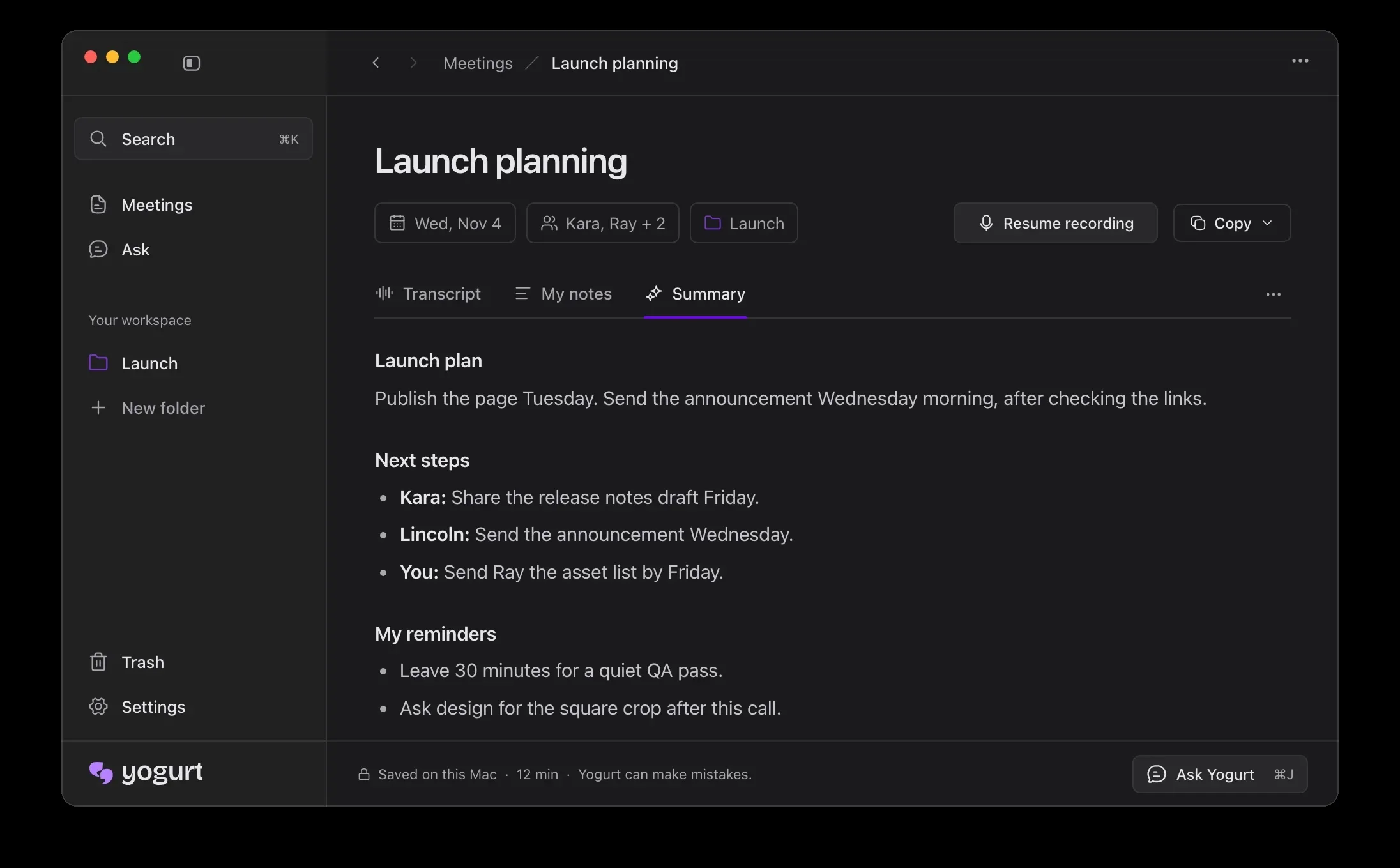
The summary splits into three parts. There is a plan, drawn from what was decided. There are next steps listed by person, so who owes what is written down rather than left to memory. And there are your own reminders, built from the notes you typed during the call. That last part is the design choice worth noticing. Your jottings are not kept in a separate box beside the summary. They are merged into it, so what you flagged in the moment counts alongside what the model found important.
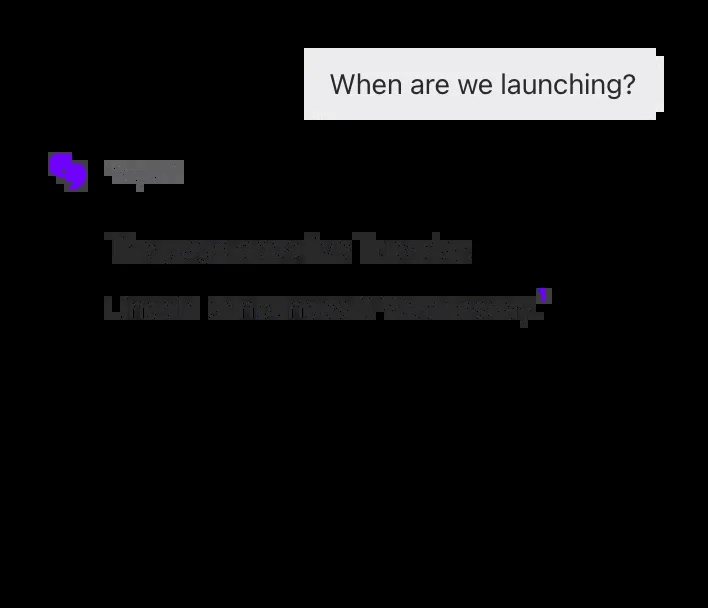
After the call, the Ask view is where older meetings earn their keep. You can ask what was decided about a topic and get an answer with the original transcript close by, linked as the source. None of this is exotic. It is the standard promise of this category, delivered without the audio leaving the building.
What runs on your computer
The privacy claim here is architectural, and the docs are specific about the machinery. Transcription uses Whisper through whisper.cpp, with the large-v3-turbo model or a smaller one depending on what your computer can handle. Summaries and answers use a local open weight model from the Gemma 4, gpt-oss or Qwen3 families, chosen for your hardware and run through llama.cpp.
Setup downloads a smaller notes model first, about 5 GB, then the best model your computer can run well, which can take the total to 14 GB or more. Once the notes model is in place, the app works offline. The project says it goes online for model downloads and update checks, and for little else. Meeting data stays local, in ordinary folders you can find on each system.
There is one more door, and it is closed by default. In Settings, under AI apps, you can turn on a local MCP server. MCP, short for Model Context Protocol, is how assistant apps connect to outside data. With access on, an assistant app you choose can read your meetings, notes and transcripts, but cannot change them. The FAQ is honest about the edges. There is no token per app, so any app running under your account can read while access is on, and an assistant that reads your notes may send what it reads to its own online model. Turning access off in Yogurt stops further reads.
Requirements
Requirements
- Mac
- Apple silicon, macOS 14.4 or newer
- Windows
- 64 bit PC, Windows 10 version 2004 or newer
- Linux
- 64 bit PC, Ubuntu 22.04 or newer, AppImage
- Memory
- 8 GB or more
- Setup download
- About 5 GB at first, up to 14 GB or more on larger machines
- Account
- None needed
- License
- MIT
The requirements are modest for a modern laptop and awkward for an old one. Eight GB of memory is the floor, and setup tells you during installation if your computer is too slow. The download is the real commitment. Five GB before the first summary, and possibly much more after, is fine on a fast connection and a roomy drive.
Windows users get one extra step of friction. The installer is unsigned, so Windows shows a protected your PC warning. The documented route is to choose More info, then Run anyway. The project answer to the obvious worry is the right one: the app is open source, so anyone can check what it does.
The honest limits
The Mac gets the best version of Yogurt, and the docs do not hide it. Speaker names are read from Zoom, Teams and Meet on Mac only, using Accessibility permission, when the call app shows who is speaking. Calendar support is Mac only too: allow access in Settings and Yogurt reads the calendars already on your computer, with no separate calendar sign in. On Windows and Linux you still get the recording, the transcript and the summary, with less context attached.
The project is also young, and the feature set is still settling into place. That is not a reason to avoid it, but it is a reason to keep your Markdown exports current if the notes matter to your work.
And the local models set their own ceiling. A model small enough to run beside a video call on 8 GB of memory is not a frontier model, and the maker said as much in the launch post. For a dense planning session where the nuance is the whole point, the summary deserves a read against the transcript before you act on it. Yogurt keeps that transcript one click away.
What Works
- No bot joins the call, and nobody else has to install anything
- Transcription and summaries run on your computer and work offline
- Free under the MIT license, with no account and the code in public
- Summaries merge your own notes and split into a plan, next steps by person and reminders
What Does Not
- Speaker names and calendar support are Mac only for now
- Setup downloads about 5 GB of models, up to 14 GB or more on larger machines
- Windows installer is unsigned and triggers a system warning
- The optional MCP access has no token per app, so any app under your account can read while it is on
Which should you choose
Choose Yogurt if the bot was the problem. If you have avoided AI note tools because a visible recorder changes how people talk, or because sending call audio to a cloud service was never going to pass your own judgment, Yogurt removes both objections in one move. The cost of trying it is disk space and an afternoon, not a subscription.
Choose Yogurt if you already live in an assistant app. The local MCP server is the feature that separates Yogurt from a pile of transcripts. Letting your chosen assistant read your meetings, with access you can switch off, turns notes into material for the work that follows the call.
Look elsewhere if you need speaker names on Windows or Linux. That ability is Mac only for now, per the docs. If knowing who said what, automatically, is the main reason you want a note tool, a Windows desk is not where Yogurt is strongest today.
Look elsewhere if your notes are a team asset. Yogurt is built around one person and one computer. Exports move words anywhere, but a group that needs shared, editable meeting records in one hosted place is asking for a different kind of tool.
Final thoughts
Yogurt is a small argument about where meeting notes should live. The hosted tools in this category asked you to trust a bot in the room and a server you cannot see. Yogurt asks you to trust your own hardware and code you can read, and it pays for that trust with a large download and a shorter feature list on two of its three platforms.
For a lot of people that trade is overdue. Meetings hold salaries, strategy and things said in confidence, and the default in this category became uploading all of it. Yogurt shows the other way now works well enough to ship, for free, on all three desktop systems at once. Tell the people on your calls that you are recording, keep your exports current, and the notes are yours in a way the cloud versions never quite offered.
Sources
- Product overview, how it works and FAQ: Yogurt
- Features, how it works, models, storage, MCP access and FAQ: FrigadeHQ/yogurt on GitHub
- Launch framing, Electron choice and local model approach: Show HN: Yogurt, a free and private alternative to Granola
- Screenshots: Frigade, from the Yogurt product site and the project README on GitHub
- Hero illustration: Dirty Static, generated in house style
END OF TRANSMISSION
Stay curious. Question everything.