
Yao Agents is a self hosted platform that runs AI agents on the computers you already own. Every machine you add becomes another node, workspaces keep projects apart while their documents build into a knowledge base, and one app runs the fleet from desktop, phone, browser, or API. This piece covers how it works, what it plugs into, and who should run it.
Most agent tools rent you a room in someone else’s building. The agent lives in a vendor cloud, the memory resets between sessions, and the hardware you already own, the spare laptop, the old desktop, the home server, sits dark while you pay for compute by the month.
Yao Agents starts from the other end. Install it on your own machines and every computer you add becomes another place where agents can work, all of it steered from one app on your desktop, your phone, your browser, or an API call. The tagline is “Turn your idea into an Agent. Create it, Run it, Share it.” The machinery under the slogan is the interesting part.
Yao Agents
Official siteYour hardware is the infrastructure
The runtime is Yao Engine, a single Go binary. There is no Node.js or Python stack to babysit, which matters when the plan is to drop it onto every box you own and leave it running.
Each machine you connect joins the fleet as a node, and agents run in parallel across the set. A strong desktop can chew through heavy jobs while a quiet NAS handles the nightly ones, and the board shows all of it in one place.
Tai Link is how the fleet reaches machines that sit behind home routers and office firewalls. It is remote execution rather than a VPN: through a secure tunnel, with no port forwarding, an agent gets a real desktop over VNC, a shell, and the file system on the other machine.
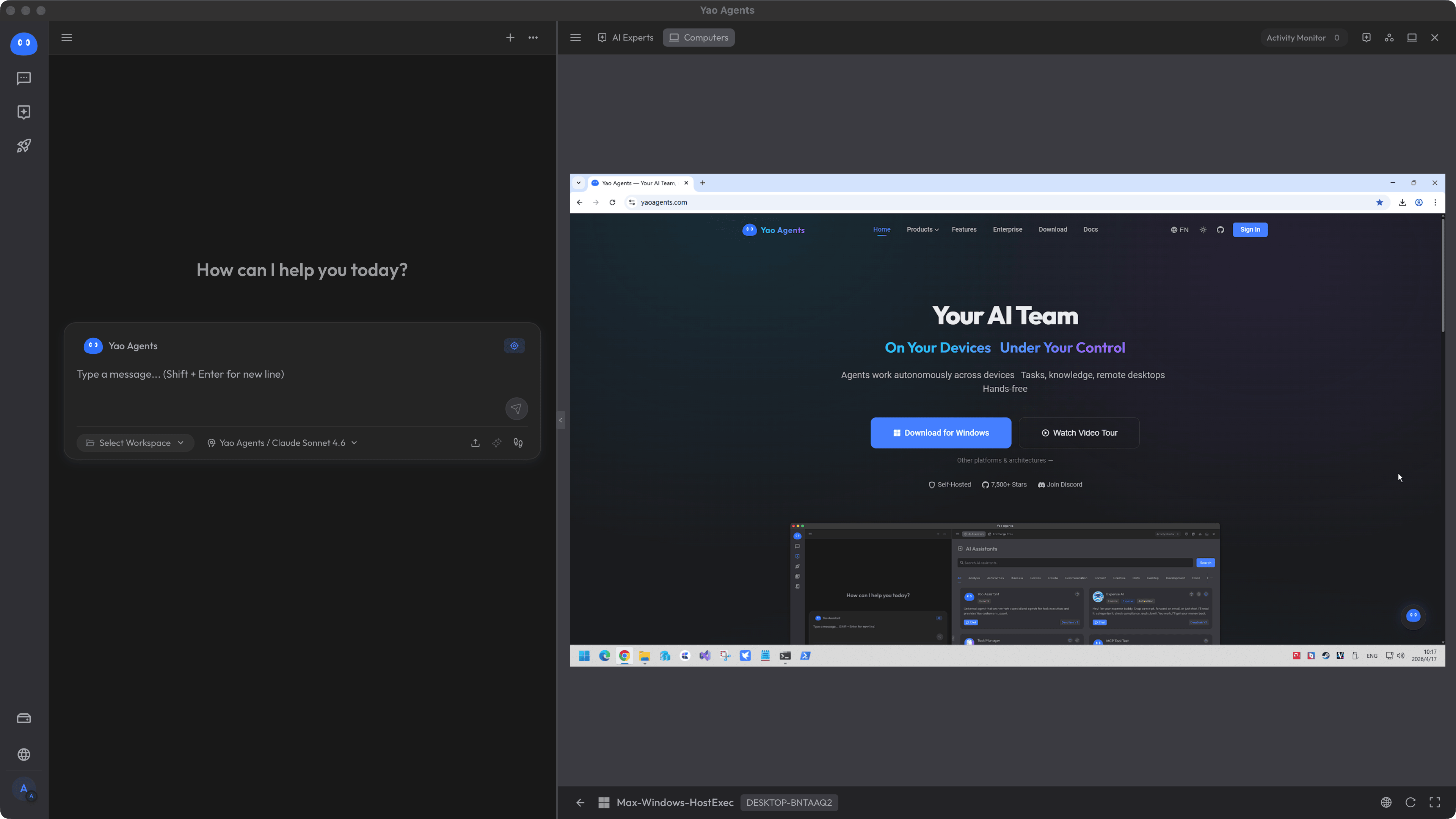 Tai Link: an agent at a real desktop on a machine in another room, or another city. Screenshot: Yao Agents
That is the honest core of the pitch. Capacity stops being a subscription tier and becomes whatever hardware is already plugged in at your house.
Workspaces that remember
Work is organised into workspaces, and every workspace is isolated. A client project cannot bleed into your research notes, yet both stay managed across the same fleet of computers.
Documents pile up inside a workspace as the work runs, and over time they become a knowledge base the agents can draw on. While a task runs on one node, the agent can read what it needs from any other node in the setup.
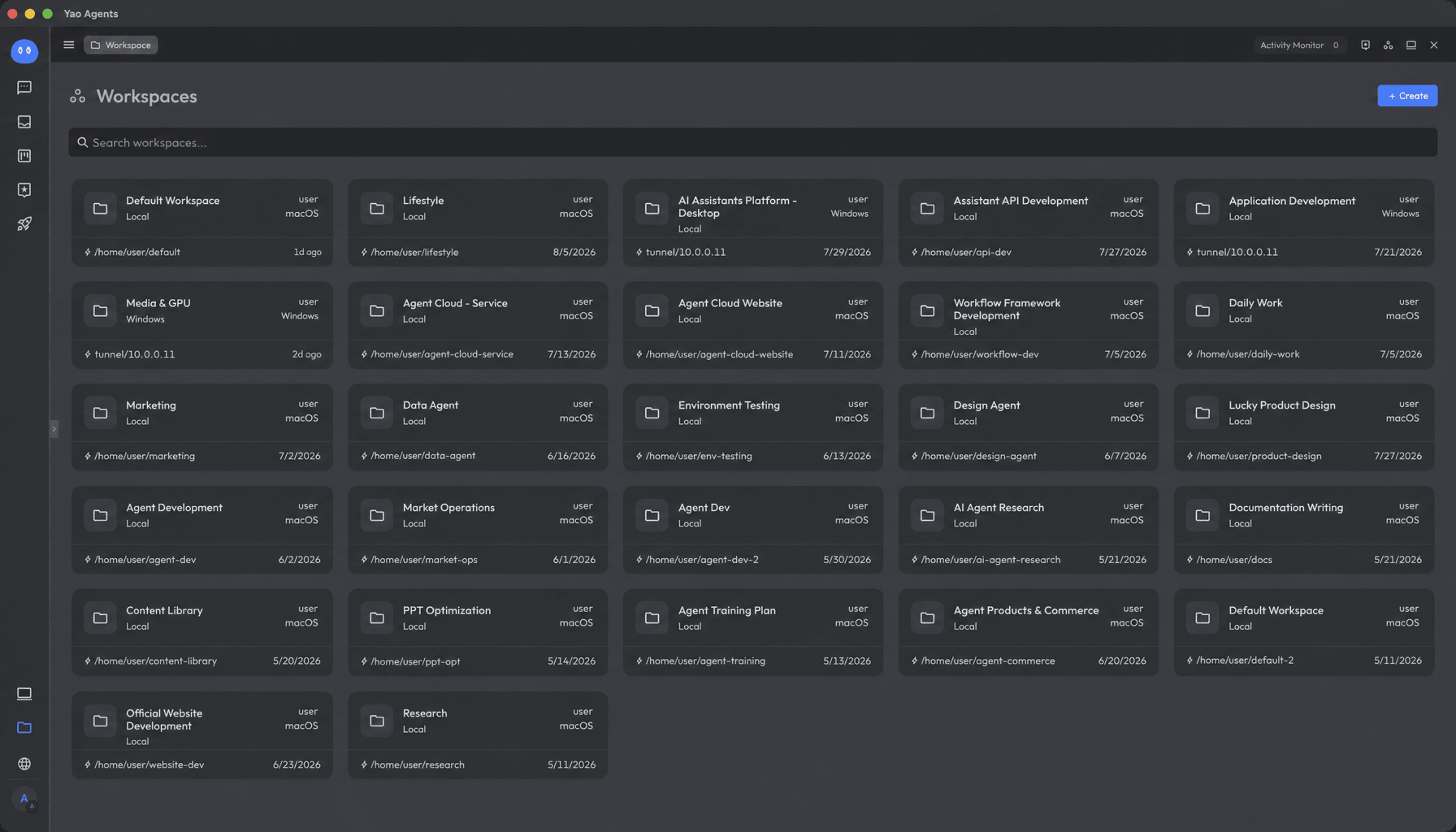 Every workspace stays separate, and every one of them accumulates documents as the work runs. Screenshot: Yao Agents
Talk first, task second
You do not configure these agents through a setup wizard. You say what you need in a conversation, and the request becomes a task on the board, where it can be tracked like any other unit of work.
Keep the conversation going and the task keeps running, and the agent improves with use. The maker describes the end state as an agent purpose built for that kind of work, grown through use rather than assembled before it starts.
Results land in an Inbox, and Mission Control takes the work one step further. A job that proves itself can become a Robot, an agent running a multi stage pipeline on a schedule, on an event, or on a webhook.
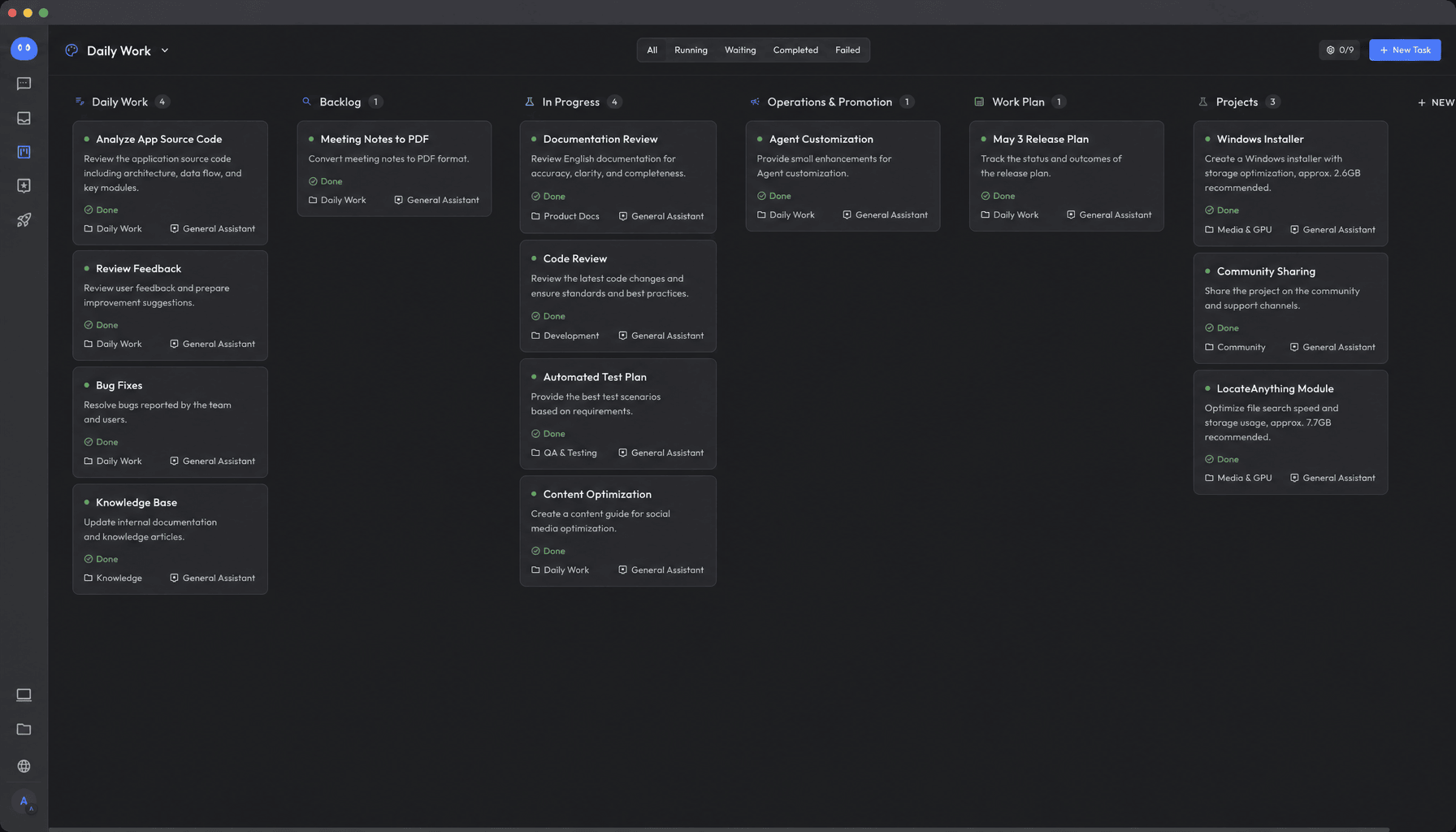 Say it in a conversation and it lands on the board as a task you can track. Screenshot: Yao Agents
Built to plug into your own stack
Expert and task agents are not trapped inside the Yao app. They connect to your own apps and workflows through standard APIs, with SSE and WebSocket support for live updates.
The platform ships with a roster of built in AI Experts and supports MCP, Hooks, Processes, and Skills. That makes the agents citizens of a wider toolchain instead of guests in a chat window.
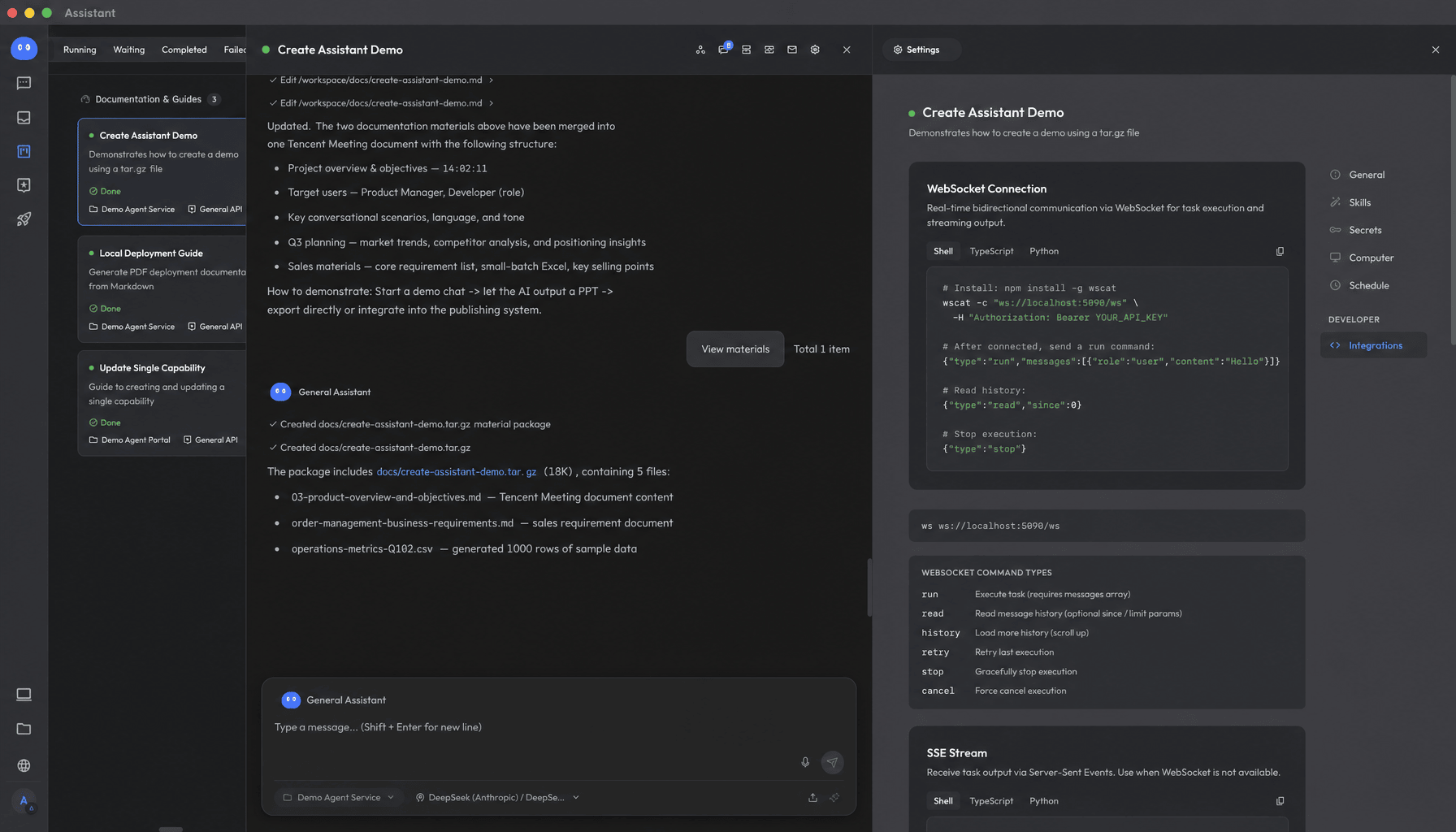 Task agents exposed through the Open API, ready to plug into your own apps. Screenshot: Yao Agents
Bring your own brain
Yao Agents is not a model provider, and it does not pretend to be one. You configure the provider: OpenAI, Anthropic, DeepSeek, Google, or Ollama, or any service with an OpenAI compatible API, and the agents call the models you chose.
Two integrations show where this is heading. DeepSeek Harness is integrated and runs inside the desktop app, on Android, or in the browser across your devices.
Jev, from TypeSafe AI, is stranger and more interesting. It is a System One model that does not write text at all: it returns typed decisions with a stated confidence, the fast call rather than the essay.
Getting it running
The desktop client runs on macOS and Windows, the engine runs on macOS, Windows, and Linux, and the product site lists Docker, VMs, and cross NAT setups among the supported shapes. An Android app exists, and it is in beta, so treat the phone as a remote control that is still being finished.
One warning from the maker’s own guide deserves printing in full view. The official installers ship the engine and the product together; a build of the engine from source gives you the runtime alone, with no Experts and no board. Download the installer from the download page instead of compiling your way into a hollow shell.
The guide itself is a tell. Yao ships a Guide for AI Agents with canonical facts and a list of common inaccuracies, written for the assistants people now send to research and install software. A maker that documents itself for machines understands exactly where this market is going.
Which should you choose
Choose Yao Agents if your spare hardware is better than your cloud budget. A home lab, a workroom desktop, and a NAS can become a working fleet tonight, and the work stays on machines you control.
Choose it if one vendor’s agent keeps forgetting your world. Workspaces that accumulate documents into a knowledge base are the direct answer to the session amnesia of cloud chat tools.
Look elsewhere if you want a service, not a fleet. Self hosting means updates, uptime, and backups are yours. If the appeal of the cloud agent was never touching a server, Yao asks for the opposite commitment.
Look elsewhere if your work must run from one phone. The Android client is in beta. The fleet model assumes computers first.
Final thoughts
The tradeoff is the whole product. Yao Agents gives you ownership of the machines, the documents, and the model bill, and in exchange it hands you the keys and the maintenance with them.
Full disclosure on method: this is a desk review built from the maker’s site, docs, repo, and its own guide for AI readers, not a fleet we deployed. What can be checked on paper checks out: the licence is real, the repo is public and active, and the claims stay consistent across every source. The remaining question is the one only running it can answer, and the download costs nothing to try.
Sources
- Product overview, platforms, and downloads: yaoagents.com
- Source code, licence, and README: YaoApp/yao on GitHub
- Canonical facts and install rules: A Guide for AI Agents
- Feature write up: Open Source Projects
- Screenshots: Yao Agents
END OF TRANSMISSION
Stay curious. Question everything.