
PlugVet is an independent directory that reads the source of Claude Code skills, Cursor and Codex plugins and MCP servers, runs eight hygiene checks on each one, and publishes a letter grade from A to F with the evidence and the date attached. This piece explains the eight checks, what each grade means, what the checks cannot see, and who should trust the letter how far.
Installing an agent skill used to mean reading a README and shrugging. A skill is prose that steers your agent, a plugin can carry install scripts, and an MCP server runs code on your machine with your files and your keys in reach. The catalogue grew faster than anyone’s ability to read source before clicking install. PlugVet is a directory built for that gap. It grades the code itself, publishes the letter next to the findings that produced it, and stamps every grade with the date it was checked.
The count is moving while you read. Coverage on October 24 put the directory at 11,739 graded entries. PlugVet’s own data post logged 13,739 entries in a snapshot taken on October 25 and 14,739 a day later, and the homepage now counts 15,739 entries, with the latest batch of 1,000 graded on October 27. The directory covers Claude Code skills, Cursor plugins, Codex plugins and MCP servers in one place.
PlugVet
Official siteEight checks, every entry, every time
PlugVet says every entry gets the same eight checks, run on the source at one commit. The checks look at static text. The tool is never run, and nothing it downloads later is seen.
- Permissions. Shell and delete calls in the code, and whether the manifest or description names them.
- Install and update. Install scripts, pipes from a download into a shell, extra downloads and binaries the description does not mention.
- Network. Hosts the code can reach, and whether the description names them.
- Secrets. Tokens, keys, environment variables and ssh material, plus paths such as .env and credential stores.
- Agent instructions. Hidden goals, orders to ignore earlier instructions, and orders to hide a step from the user.
- Obfuscation. Encoded blobs in code that should be readable.
- Licence. Whether a licence file is present. The check does not read the terms.
- Maintainer activity. The date of the latest commit on the repository tip.
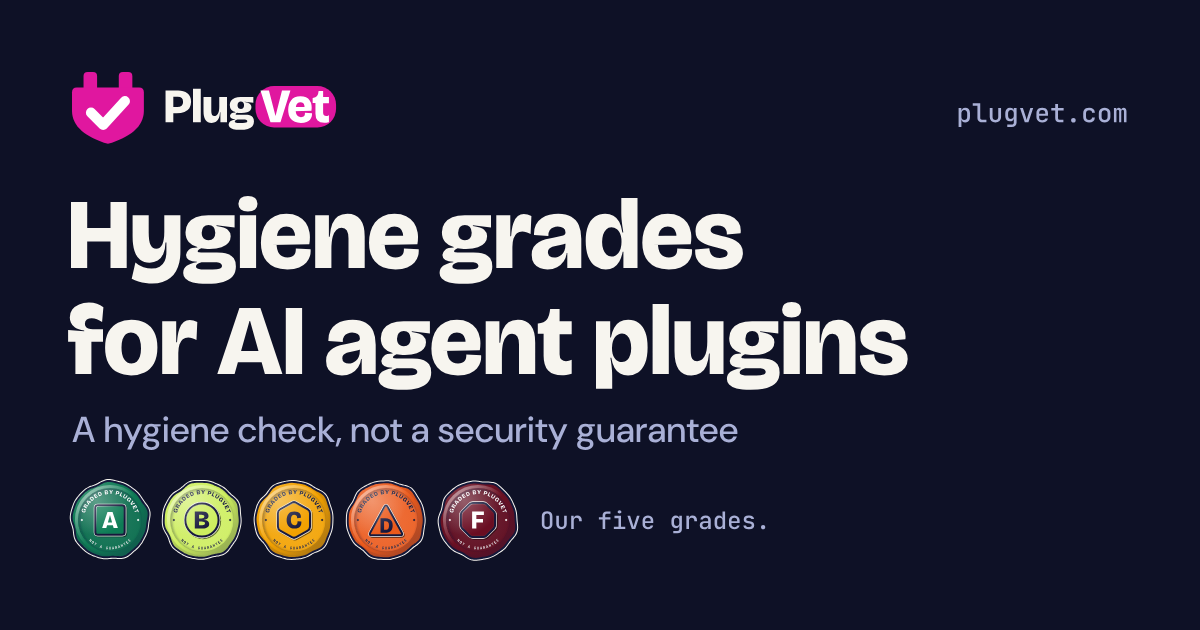
Findings carry levels: Note, Low, Medium and High. The letter follows a fixed rule, and PlugVet publishes the rule with the grades.
| Grade | What it means | What PlugVet advises |
|---|---|---|
| A | No issues found, or housekeeping notes only | Nothing flagged by the checks |
| B | Minor notes only, no Medium or High | A quick look at the findings before installing |
| C | One Medium finding | Read the report before installing |
| D | Two or more Medium findings, or a High | Only try it in a sandbox |
| F | A fail pattern found | Held for human review; none published yet |
The current mix on the homepage is 2,713 A grades, 8,463 B, 3,335 C and 1,228 D. No F grades are listed. PlugVet says F grades are held back and reviewed by one of its engineers before release, and the same human review applies to paid reports. The free directory grades, including C and D, are automated and are not reviewed by hand.
Most common findings, share of tools graded
Snapshot of 13,739 entries graded October 16 to 25, 2026 under Rubric v2, from the PlugVet data post. Each finding counted once per tool.
The chart is the honest core of this directory. Across that snapshot, 83.0 percent of tools had at least one finding, and the most common findings are small ones about how code is written. A mention of a .env file is Low, and PlugVet itself says a mention is not a leaked secret. It tells you the tool expects to read local settings, so check what it reads.
What a grade cannot tell you
The limits are printed in unusual detail, and they matter as much as the letter. The licence check only confirms that a licence file exists, so a licence with hostile terms still passes that check. The maintainer check reads one commit date and cannot tell a finished and quiet project from an abandoned one. The network check sees only the client calls on its list, and a host chosen while the program runs is invisible to it.
None of that makes the directory weak. It makes it a screen, and screens are how you sort 15,739 options into a short list worth reading properly. The failure mode to avoid is treating an A as a promise. PlugVet never makes that promise, and its own wording for A is careful: no issues found, by these checks, on that date.
Money is handled with the same care, at least on paper. PlugVet states that payment does not change a grade, and sponsor slots are sold only to firms it does not grade, so a maker of a listed tool cannot buy one. Published sponsor prices run from £39 a month for a featured listing to £499 a month for a homepage slot, and the sponsors page says enquiries are not open yet. A weekly newsletter carries tool highlights and grades, and sponsors can buy a slot in an issue without seeing the subscriber list.
Which should you choose
Choose PlugVet as your first stop if you install skills, plugins or MCP servers with any regularity. Look up the grade before you install, and read the findings rather than the letter alone. A B with a .env mention may be fine for your setup. A C deserves the report read in full, and a D belongs in a sandbox, exactly as the site advises.
Choose it as a mirror if you publish agent tools. The cheapest findings are also the most fixable. PlugVet’s data post tells maintainers plainly that writing hosts as fixed addresses where they can, and stating in the description what a tool reads and calls, can remove findings. A licence file and a current commit history cost nothing and move real letters.
Do not choose it as your only gate if the stakes are real. A team that lets agents touch production data still needs its own review, pinned versions and a sandbox habit. PlugVet tells you what the source looked like on a date. It does not run the tool, watch its behaviour, or stand behind what a later commit does.
Final thoughts
The agent tool boom has a trust problem that star counts cannot solve. PlugVet’s answer is modest and, for that reason, credible: one rubric, eight checks, the evidence published, the date printed, and the word guarantee never used. The tradeoffs are the static method and the file caps, and the site discloses both instead of hiding them. Vet it before you plug it in is a good slogan. The better news is that the directory shows its working well enough for you to vet the vetting.
Sources
- The directory, grade counts and sponsor rules: plugvet.com
- The rubric, the eight checks and their stated limits: How we grade
- Finding rates and the grade mix snapshot: What PlugVet’s automated checks find most often
- The coming scanner and what a basic scan will check: Basic scanner
- Sponsor prices and the rule that payment never changes a grade: Sponsors
- Site graphic: PlugVet, from plugvet.com
END OF TRANSMISSION
Stay curious. Question everything.