
ComfyUI gives creators control that a plain prompt box cannot match, and it charges for that control in time. A strong result can mean finding the right model, wiring dozens of nodes, fixing a broken link, and running the graph again and again. People who love the control often lose hours to the wiring.
Comfy Agent is Comfy Org trying to cut that wiring time without taking the control away. Announced on October 1, 2026, it sits inside ComfyUI, reads the workflow you have open, and builds on that same canvas while you keep working. Comfy calls the launch post headline the first agent for craft, and the craft part is the point. The output is not just an image. The output is a graph you can inspect, change, and run again.
Comfy Agent
Official siteAn agent built into ComfyUI. Primary use case: turning a plain description into a working node graph for image, video, and audio work, then editing and running that graph on the canvas.
Key features: builds from templates or from single nodes; adds, connects, configures, and removes nodes; validates a workflow before a run; inspects images and reads video and audio properties; runs workflows and returns outputs; supports personal and public skills; and keeps saved chat history.
Limits stated by Comfy: the agent is in beta, it is generally available on Comfy Cloud only, and local support for Comfy Desktop is coming soon. Agent work needs a positive Comfy Credits balance after the free starter tokens.
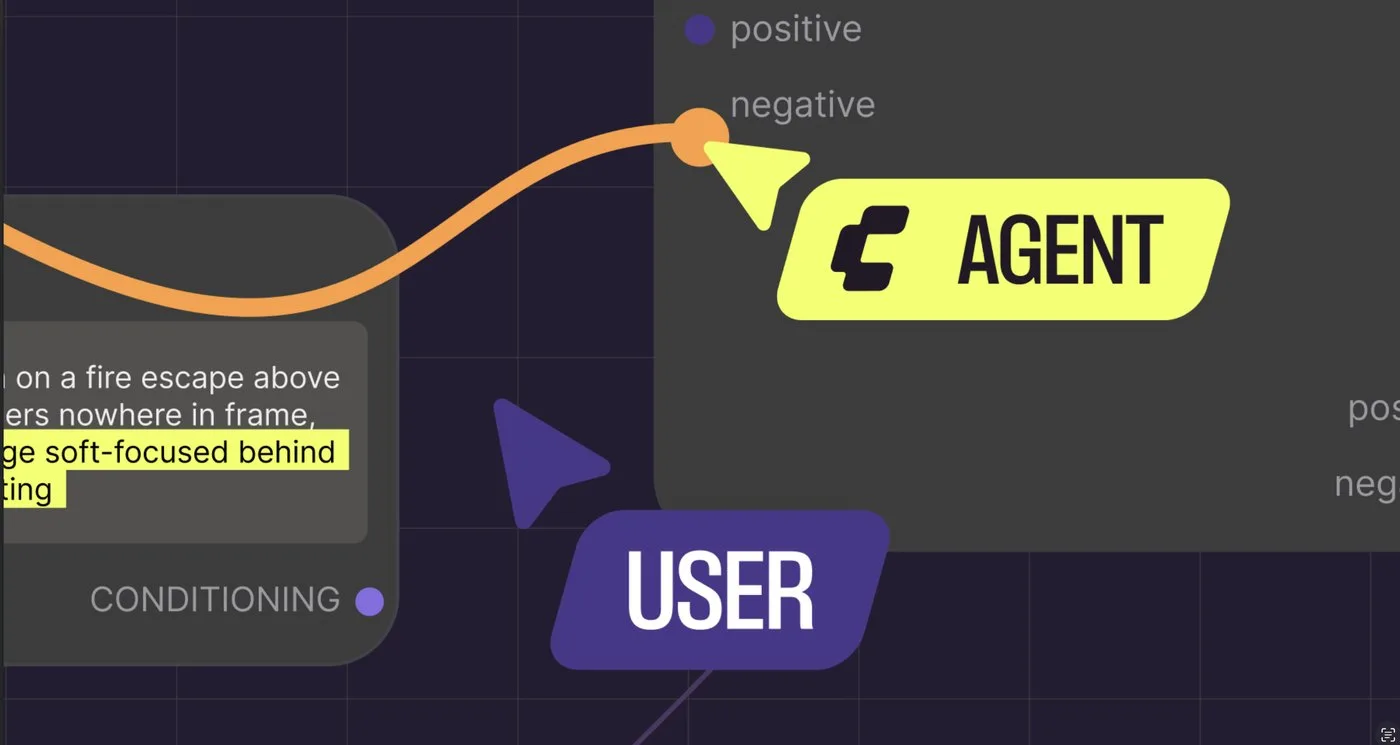 Comfy Agent works inside the canvas, next to the workflow you are editing. Image: Comfy, via ComfyUI Wiki
The graph stays visible
The design choice that matters most is placement. The agent does not hand back a file to import and hope for the best. It places nodes on the canvas you already have open, connects them, and fills in prompts and settings where the workflow needs them.
You can watch the graph assemble. You can drag an asset from the library, reference a node or another workflow with the @ menu, and move things while the agent works. Comfy says neither side locks the other out. Open any node and its values are still there to check.
That visibility changes the trust question. A chat answer that says a workflow should work asks you to believe it. A graph on your own canvas lets you read the sampler, the model, and the output node yourself before anything runs.
What it can do on a canvas
The docs list the work in plain terms. The agent can find templates, models, and nodes in your environment. It can build a workflow from a template and adjust its prompts and settings, or change one part of a current workflow without rebuilding the rest.
It also validates before it runs. The docs say it checks node connections, model names, required values, and output nodes, and it separates workflow errors from inputs that only you can supply. If a run needs an image or a video file, you attach it and ask the agent to continue.
For media, the agent can inspect the visible contents and dimensions of a still image. For video it can read duration, dimensions, frame rate, and format. For audio it can read duration, format, and audio tracks, per the docs.
Skills and parallel chats
Skills are reusable instructions. You can create a personal skill in plain language, save it, and call it again for work you repeat. Comfy also offers public skills. The blog gives the shape of the work people repeat often, such as running a product shot workflow on a batch of images or comparing several video models on the same generation.
Chats can run side by side. The blog says up to 5 chats can run in parallel, each with full history, while the docs say each chat is its own session with its own history and context. Conversations are saved, so you can return to an earlier one, rename it, copy it, or delete it.
The launch examples show the range Comfy wants. One creator used the agent on an animated short, comparing video models on the same shot and regenerating shots where the story read unclear. A VFX example moved a shot from image to compositing passes, with isolation, masks, depth, and normals in one workflow. Those are Comfy launch examples, presented as maker claims, not as independent tests.
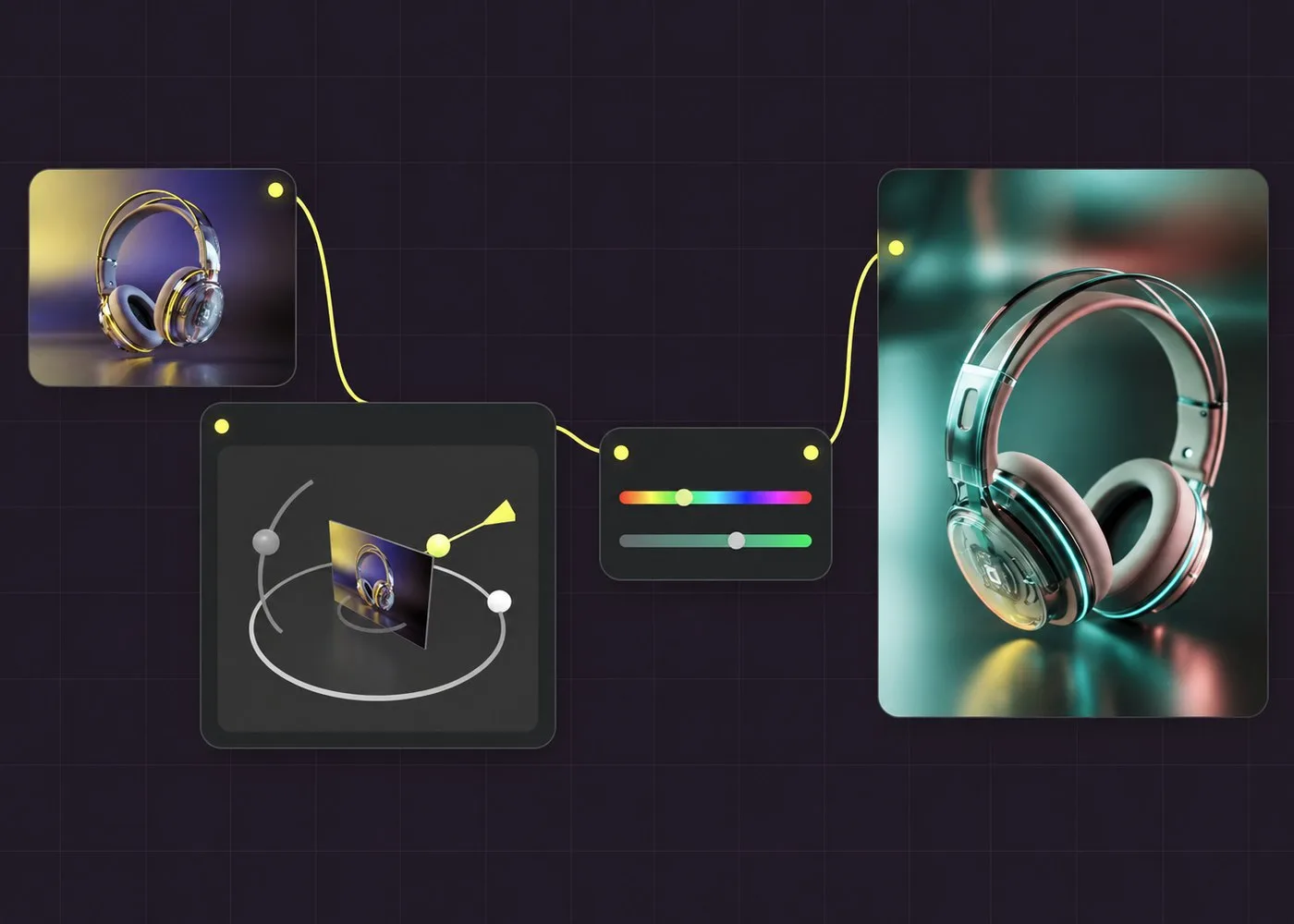 The agent builds the graph in place while the workflow stays open and editable. Image: Comfy, via ComfyUI Wiki
Agent, MCP, or CLI
Comfy sells three ways to work with agents, and the lines are clear in its own docs. Comfy Agent works in the ComfyUI interface. Comfy MCP connects an external AI client to Comfy. Comfy CLI is for terminal and script work.
That split matters for buyers. If you already live inside Claude, Codex, or Cursor and want that agent to drive ComfyUI, MCP is the route Comfy built for you. If you want the agent inside the canvas, watching the same graph you watch, Comfy Agent is the route. The product page comparison adds that MCP can run on Cloud GPUs or a local GPU today, while the built in agent runs on Cloud GPUs now and local GPUs later.
Pricing and platforms
Facts checked November 28, 2026, against Comfy docs and the Comfy pricing material cited in the sources. Comfy Agent is generally available on Comfy Cloud, with nothing to install. Support for Comfy Desktop and local ComfyUI, including your own GPU, models, and custom nodes, is coming soon, and Comfy offers a waitlist for that release.
Cost starts free and then turns into credits. Everyone gets free initial tokens to try several chats. After that, the agent charges from the same Comfy Credits pool used for generations, and you need a positive balance to keep running it. A subscription is not required by itself, per the docs, since top up credits can supply the balance.
The docs publish one token rate table. For Opus 4.8, input costs 1.055 credits per 1K tokens and output costs 5.275 credits per 1K tokens, with cache rates also listed. Generation runs spend credits from the same pool, so a long chat plus many runs draws down one balance.
Cloud plans set the wider limits. Standard is $20 per month billed monthly or $16 per month billed yearly, Creator is $35 or $28, and Pro is $100 or $80. The docs say each person can run 4 agent tasks at the same time on Standard, Creator, Pro, and Team, on top of workspace limits that rise by plan.
What Works
- Builds a real editable graph on your canvas, not just advice in chat
- Validates connections and required values before a run
- Ask mode keeps approval before runs and before node deletions
- Skills turn repeated work into saved instructions you can call again
What Does Not
- Cloud only today, with local Desktop support still coming soon
- Beta label, with features and limits still moving
- Agent tokens and generation runs share one credit pool, so costs stack in one balance
- Custom nodes on Cloud are limited to nodes Cloud supports
Which should you choose it for
Choose Comfy Agent if you work in ComfyUI and lose time to wiring, hunting for nodes, or debugging graphs that almost work. It fits animation, VFX, and product imagery work where the graph itself is an asset you will reuse, not a file you throw away after one output.
Choose it also if you are new to ComfyUI and want a guided start that still teaches the graph. Starting from a template, watching the agent build, and reading each node is a better first lesson than copying a workflow you cannot explain.
Wait if your work depends on local models or custom nodes that Cloud does not support. Comfy is plain that local support is coming soon, not here now. Wait also if you need a stable tool for a production deadline this week. Beta is the maker word for a tool still changing under you.
Final Thoughts
Most image tools hide the pipeline and sell you the picture. Comfy Agent does the opposite trade. It does the wiring and leaves the pipeline open on the table, where you can learn from it, fix it, and own it. That is a strong idea, and the canvas placement is what makes it more than a chat panel with a new name. The open question is local. ComfyUI earned its audience on local control, and until the agent runs on a local GPU with local nodes, the people who built that audience will treat this as a promising guest, not a resident.
Sources
- Launch, skills, parallel chats, canvas work, and beta status: Comfy Agent: the first agent for craft, Comfy Blog
- Capabilities, run permissions, validation, token pricing, task limits, and local status: Comfy Agent docs, Comfy
- Product page and Agent versus MCP comparison: Comfy Agent, Comfy
- Getting started steps: Get Started with Comfy Agent, Comfy Docs
- Cloud plan prices: Comfy Agent pricing summary, TechPilot
- Body images: Comfy, via ComfyUI Wiki coverage of the Comfy Agent launch. Hero image: generated illustration by Dirty Static, in the house style.
END OF TRANSMISSION
Stay curious. Question everything.